Typing Tutor: English and Hindi Typing Lessons
Learn touch typing one row at a time. An on-screen keyboard lights up the next key in the colour of the finger to use, each lesson unlocks the next at 90% accuracy, and kids can practise with three small typing games.
- 100% free
- No sign-up
- Runs in your browser
- Updated October 2026
1Choose your keyboard
Lesson
2Lesson map
Pass a lesson with 90% accuracy to unlock the next one. Stars: one for 90%, two for 95%, three for 98% accuracy. Progress is saved in this browser only.
1Pick a game
Which letters?
Made for children of about 6 and up. Use a real keyboard if you have one; on a phone or tablet, tap the big letter keys under the game.
Your progress streak, level and badges
Quick answer
MuftTools.in's free typing tutor teaches 10-finger typing in short lessons: home row, top row, bottom row, numbers, Shift and punctuation, then words and sentences. It covers English (QWERTY), Hindi Inscript and Hindi Remington (GAIL). The next key and the finger to use light up as you type, and passing a lesson with 90% accuracy unlocks the next one.
- Layouts
- English (QWERTY), Hindi Inscript, Hindi Remington (GAIL)
- Lessons
- 28 English, 26 Inscript, 24 Remington, from the home row to full sentences
- Pass rule
- 90% accuracy unlocks the next lesson; 95% and 98% earn more stars
- Help while typing
- Next key and finger shown on a colour keyboard and two hands
- Kids' mode
- Letter Balloons, Word Rain and Rocket to the Moon games
- Price
- Free, no sign-up; progress saved on your device only
Learn touch typing one small step at a time
Touch typing means typing with all ten fingers without looking at the keys. It feels slow at first, but it is how you build the steady speed that office work and typing tests ask for. This typing tutor breaks the keyboard into short lessons, each one adding two or three new keys to the ones you already know. A lesson takes one to three minutes, so you can fit a few into a short break.
Choose your keyboard at the top: English (QWERTY), Hindi Inscript or Hindi Remington (GAIL). Each layout has its own lesson path and its own saved progress, so you can learn English and Hindi side by side.
How a lesson works
- Open the next lesson from the lesson map. Lesson 1 is always open; the others unlock as you pass.
- Read the new keys and the finger that presses each one. Then click the lesson text and start typing.
- The next key glows on the on-screen keyboard in the colour of its finger, and the same finger lights up on the hands drawing. If a key needs Shift, the correct Shift key glows too.
- If you press a wrong key, the letter shakes and the lesson waits for the right one. Backspace is not needed.
- At the end you see your speed, accuracy, wrong keys and time. With 90% accuracy or more the lesson is passed and the next one unlocks. You earn one star for 90%, two for 95% and three for 98%.
If you missed some keys, the result lists them, and Practise my weak keys builds a short drill from just those keys. It does not change your lesson progress, so use it as often as you like.
The English lesson path
| Stage | What you learn |
|---|---|
| Home row | F J, D K, S L, A ;, then G H, and a lesson of real words that use only these keys |
| Top row | E I, R U, T Y, W O, Q P, then top-row words |
| Bottom row | C and comma, V M, B N, X and full stop, Z and /, then words with every letter |
| Numbers | 1 to 5, 6 to 0, and numbers inside short phrases such as "room 12" |
| Shift and punctuation | Capital letters with the opposite-hand Shift, then ? ! ' " : - and brackets |
| Words and sentences | Common words, longer words, short sentences and a speed paragraph |
Each key lesson starts with the new keys on their own, mixes them with keys you learned earlier, and ends with real words that use them. The mix changes every time you retry, so you learn the keys rather than memorising one line.
Hindi typing lessons: Inscript and Remington (GAIL)
Hindi typing on a computer uses an ordinary English keyboard. The layout decides which Hindi letter each key gives. The two layouts here follow the Inscript and Remington (GAIL) charts published by CPCT, the same maps used by our Hindi typing test.
- Inscript keeps the common consonants under the right hand and the vowel signs (matras) under the left. You type in reading order: क then ि for कि. The lessons go from र क त च on the home row to the matras, the halant (्) for half letters, the Shift vowels such as आ and ई, and the special keys for ज्ञ, त्र, क्ष and श्र.
- Remington (GAIL) follows the old Hindi typewriter. ि is typed before its letter, several letters are made from a half form plus ा, and Shift gives most half letters. The lessons go from क and र on the home row through the matras, half letters, reph (र्) and the Hindi numbers १ to ०.
In Hindi lessons each word shows the keys it needs, in order, under the lesson text. That matters most in Remington, where the key order and the order of the letters on screen are not the same. Both paths end with common Hindi words and sentences in Unicode, the text that government typing tests ask for.
What the finger colours mean
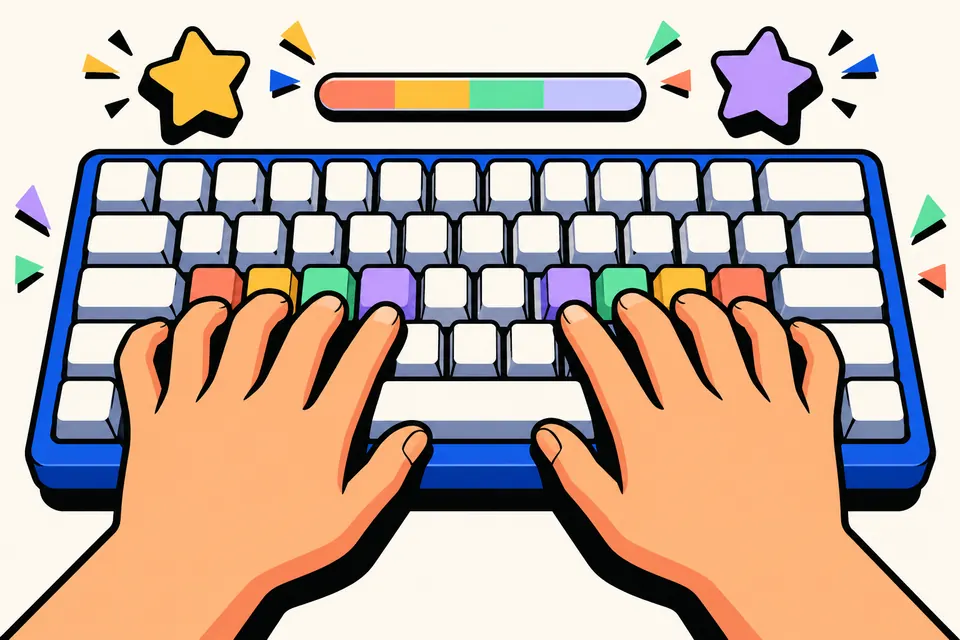
Every key belongs to one finger. The keyboard shows this with colours that match the hands drawing: pink for the little fingers, purple for the ring fingers, green for the middle fingers, yellow for the index fingers and blue for the thumbs on Space. The index fingers each cover two columns, which is why F, G, R, T, V and B share a colour. The small bars on F and J are the bumps you can feel on a real keyboard: they let you find the home row without looking.
Kids' typing games
Switch to Kids' typing games for three short games with big letters and bright colours:
- Letter Balloons: balloons float up with a letter on each. Type the letter to pop the balloon before it escapes. Three balloons may get away.
- Word Rain: short words fall from the sky. Type each word before it lands; the letters turn green as you type.
- Rocket to the Moon: type 20 letters to fly the rocket to the Moon, and try to beat your best time.
Pick the letters to practise: the home row only, the top row, the bottom row or the whole alphabet. While a game runs, the keyboard under it lights up the key to press next, so children learn where the letters are while they play. Best scores are saved on the device. The games pause when you switch tabs.
Tips for faster progress
- Accuracy first. Speed grows by itself once your fingers know the way. Slow down when you start missing keys.
- Eyes on the screen. Glance at the on-screen keyboard instead of your hands. It feels hard at first and then becomes natural.
- Return home. After each key, bring your fingers back to the home row.
- Little and often. Ten or fifteen minutes a day works better than one long session a week. The progress box counts your daily minutes and your streak.
After the lessons: test your speed
When you finish the sentences, try a timed passage in the English typing test or the Hindi typing test. They count speed and mistakes the way SSC and CPCT do. For reference, the SSC CHSL 2026 notice asks for 35 words a minute in English or 30 in Hindi, so build steady accuracy here before you push for speed. If you just want to write in Hindi without learning a layout, the Hindi typing tool converts English letters as you type.
Everything on this page runs in your browser. Nothing you type is uploaded, and your progress stays on your own device.
Frequently asked questions
Which fingers go on which keys?
Rest the left hand on A S D F and the right hand on J K L ;, with the thumbs on Space. Each finger then covers the keys above and below its home key: the index fingers also take G and H and the keys in their columns. The tutor colours every key by its finger and lights up that finger on the hands drawing.
Should I learn Hindi Inscript or Remington (GAIL)?
Inscript is the Hindi keyboard built into Windows, and letters are typed in the order you read them. Remington (GAIL) follows the old Hindi typewriter. CPCT accepts both layouts in Unicode. If your exam names one, practise that; if you are starting fresh and have no exam rule, Inscript is the easier one to find on any computer.
How are speed and accuracy counted in the lessons?
Speed is the number of correct keys you pressed, divided by 5 (one word), divided by the minutes you took. Accuracy is correct keys as a share of all keys pressed, so every wrong key lowers it even though the lesson waits for the right one. A lesson passes at 90% accuracy.
Is my progress saved?
Yes, in this browser on this device. Passed lessons, stars, your streak and best scores are kept in the browser's local storage and are never sent anywhere. Clearing your browsing data, or using a different browser or device, starts fresh.
Can I use the typing tutor on a phone?
Yes. Tap the lesson text to open your phone's keyboard, or tap the keys on the on-screen keyboard. To really learn 10-finger typing, though, use a laptop or desktop keyboard, or connect a USB or Bluetooth keyboard to your phone or tablet.
What age are the kids' typing games for?
They suit children of about 6 and up who know the English alphabet. Each game can use just the home row, the top row, the bottom row or all letters, so a beginner can start with A to L. The games are free, need no sign-up and run in the browser.