Free Menu Card Maker (Menu and Rate List)
Type or paste your items and prices, pick a design and download a print-ready menu, rate list or WhatsApp image. No sign-up, no watermark, and nothing is uploaded.
- 100% free
- No sign-up
- Runs in your browser
- Updated October 2026
1Your business
14 digits, as printed on your FSSAI licence or registration.
2Menu items
Adds a calories and serving-size line to each item, plus FSSAI's reference line on daily energy needs. Fill these in under "More" on each item.
3QR code optional
Your online menu, Google Maps page, Instagram or ordering link.
Customers scan it with any UPI app and type the amount.
4Design and size
Check every price and spelling before you print. Your menu and logo stay in this browser; nothing is uploaded.
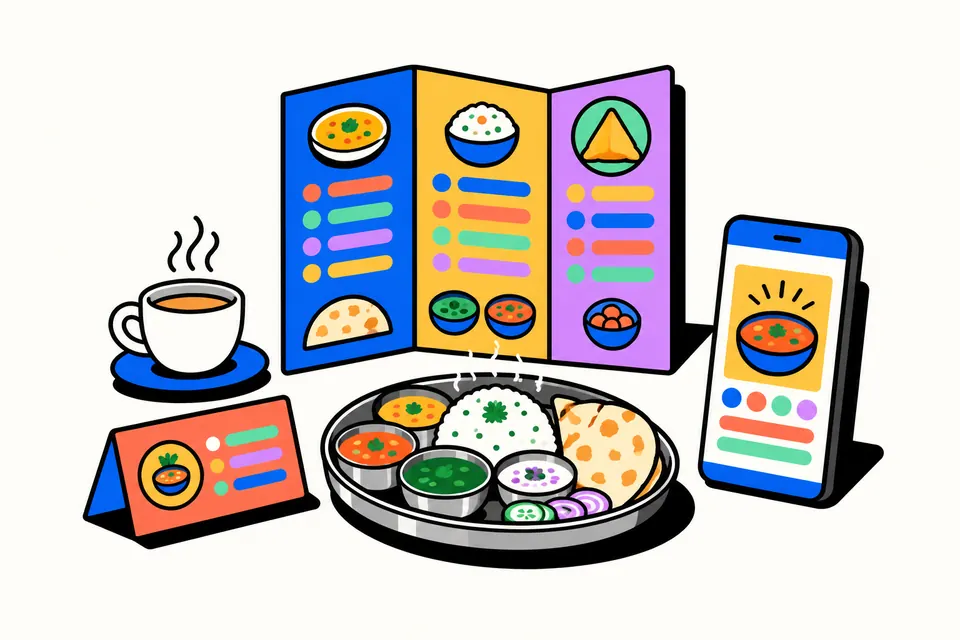
A menu card and rate list maker built for Indian food businesses
This free tool makes a clean, printable menu card or rate list in a few minutes. It is meant for the places that usually end up with a handwritten board or a hurried poster: a family restaurant, a highway dhaba, a college cafe, a tiffin service, a sweet shop, a kirana store or a salon. You type the sections, items and prices, the tool lays everything out and sizes the text to fit, and you download a PDF for printing or an image for WhatsApp.
It works the way Indian menus actually look. Prices are in rupees with the ₹ sign, a section can have two price columns such as Half and Full, items can carry the veg or non-veg mark, and each dish can have its Hindi name under the English one. The whole menu is drawn in your browser, so your prices and logo are never uploaded and there is no watermark on the file.
How to make your menu
- Start from a sample. Tap Restaurant, Dhaba, Cafe, Tiffin service, Sweet shop, Shop rate list or Salon. It fills in typical sections and items so you can see the layout straight away.
- Add your business details. Enter the name, an optional Hindi name, a heading such as Menu or Rate List, phone, timings, address and, for food businesses, your FSSAI licence or registration number.
- Edit the items. Change names and prices, pick Veg or Non-veg for each dish, and open "More" to add a Hindi name or a short description. Use the arrows to reorder items and sections.
- Paste a long list in one go. Open "Paste many items" in a section and paste one item per line, such as
Paneer Tikka, 240orDal Makhani, 140, 240for two prices. Adding/ पनीर टिक्काafter the name fills in the Hindi name too. - Add a QR if you like. Link it to your online menu, Google Maps page or ordering link, or to a UPI payment for your UPI ID.
- Pick a design and layout, check the preview and download the PDF, JPG or PNG.
Layouts and when to use each
| Layout | Size | Good for |
|---|---|---|
| A4 menu | 210 × 297 mm | Single-page menus, counter rate lists, laminated table menus |
| A3 poster | 297 × 420 mm | Wall menus and price boards that people read from a distance |
| Tri-fold | A4 sideways, folded in three | Takeaway and home-delivery menus with more items |
| Table tent | Half an A4 sheet, folded to stand | Specials, combos or a short menu with a QR on every table |
| WhatsApp square | 1080 × 1080 px | Posting the menu in groups, on Instagram or Facebook |
| WhatsApp story | 1080 × 1920 px | Status updates and stories, such as today's thali |
The text size adjusts on its own. The tool tries one, two or three columns and keeps the arrangement that gives the largest readable text, and it tells you the item size in points. If it says the text is small, move to A3 or the tri-fold, or trim the descriptions.
Veg and non-veg marks, calories and your FSSAI number
FSSAI's guidance note on menu labelling (February 2022) describes the two symbols. A vegetarian dish gets a dark green filled circle inside a square with a green outline. A non-vegetarian dish, which includes egg, meat, fish and seafood, gets a brown filled triangle inside a square with a brown outline. The marks this tool draws follow that description. Older menus often show a brown circle for non-veg; the current guidance uses a triangle.
The same guidance sets out who must print calories. It applies to food service businesses that hold a central licence or have outlets at ten or more locations, and to e-commerce sellers of their food. They must show the calories per serving and the serving size next to each item, plus the line "An average active adult requires 2,000 kcal energy per day, however, calorie needs may vary." Event caterers and places that run for less than sixty days a year are exempt. If you are one of these businesses, or simply want to show calories, switch on "Calories per item": each item gets a calories and serving-size box and the reference line is added to the footer.
FSSAI's page on Food Safety Display Boards notes that displaying the FSSAI licence or registration number at food premises is mandatory, and that restaurants also put up a display board. Printing your number on the menu or rate list is a handy extra place for customers to see it. It does not replace the display board.
What to put on a good menu
- Group items the way people order: starters, main course, breads, rice, desserts and drinks; or sweets, namkeen and snacks for a mithai shop.
- Say the quantity when it matters: "Gulab Jamun (2 pcs)", "Kaju Katli (500 g)" or "Monthly plan, 26 days".
- Keep descriptions short. One line on what is in a thali or combo is enough. Long text makes everything smaller.
- Write prices as plain numbers. The tool adds the ₹ sign and Indian digit grouping, so 1100 becomes ₹1,100. For "Market price" or "from 1,800", just type the words.
- Use the footer for timings, the delivery area, your phone or WhatsApp number and a short note.
Printing tips
- Print at Actual size (100%), not "Fit to page", so margins and fold lines land where they should.
- For the tri-fold, print double-sided and flip on the short edge. Page 1 is the outside (flap, back and cover) and page 2 the inside. Small marks at the top and bottom show where to fold.
- For the table tent, print on card. The top half is upside down on purpose: fold along the dashed line and both sides read the right way up.
- Choose the Black & white design if you will photocopy the rate list; it stays sharp without colour.
- Scan the QR with two phones before printing a big batch, and check every price twice.
Common mistakes to avoid
Do not crowd one A4 page with sixty items; customers will not read 6-point text. Split it into a tri-fold or an A3 poster. Update the rates and the date after every price change. And keep the same spelling for a dish across the menu, your bills and your online listing, so customers can find it.
The designs use our own vector art and open-licence fonts. This tool is not affiliated with FSSAI, NPCI, any UPI app, WhatsApp or Google.
Menu and price list shortcuts
Frequently asked questions
How do I make a menu card for my restaurant for free?
Tap a sample (restaurant, dhaba, cafe, tiffin, sweet shop, shop or salon), replace the items and prices with yours, pick a design and a layout, and download the PDF or image. There is no login and no watermark, and the menu is made in your browser.
Can I show Half and Full prices on the menu?
Yes. Turn on 'Two prices' for any section and name the columns, for example Half and Full, 500 g and 1 kg, or Small and Large. Each item then gets two price boxes, and the menu shows them in neat columns.
What are the veg and non-veg symbols on a menu?
FSSAI's menu labelling guidance describes a dark green filled circle inside a square with a green outline for vegetarian dishes, and a brown filled triangle inside a square with a brown outline for non-vegetarian dishes, including egg. Pick Veg or Non-veg for each item and the tool draws these marks before the name.
Do I have to print calories on my menu card?
FSSAI's menu labelling rules apply to food businesses with a central licence or outlets at ten or more locations, and to e-commerce sellers of their food. Those businesses must show calories per serving and the 2,000 kcal reference line. Smaller restaurants can add calories by choice using the 'Calories per item' option.
Should I print my FSSAI number on the menu?
FSSAI requires food businesses to display their licence or registration number at the premises, and restaurants also display a Food Safety Display Board. Printing the 14-digit number on your menu or rate list is an easy extra place to show it; it does not replace the display board.
Which size should I choose: A4, A3, tri-fold or table tent?
A4 suits a single-page menu or a counter rate list. A3 makes a wall poster. A tri-fold is an A4 sheet folded into three for a takeaway menu, and a table tent stands on each table. Use the WhatsApp square or story size to share the menu online.
Can I add a QR code for payment or my online menu?
Yes. Choose 'UPI payment' and enter your UPI ID, or choose 'Online menu or website' and paste a link such as your Google Maps or ordering page. The QR is printed in the footer, or on the back panel of the tri-fold. Test-scan it before printing many copies.
Can I write the menu in Hindi?
Yes. Every item and section has an optional Hindi name, shown under the English name, and you can also type the whole menu in Hindi. The tool uses open-licence Devanagari fonts, so the Hindi looks the same in the preview, the image and the PDF.