Invitation Card Maker (Hindi and English)
Pick the occasion, edit the ready Hindi or English wording, add the date, venue and a photo, and download a card for WhatsApp or print. Free, no sign-up, no watermark.
- 100% free
- No sign-up
- Runs in your browser
- Updated October 2026
1Occasion and language
Switching changes the ready wording only. Names, places and anything you typed yourself stay as they are.
2Wording
3When and where
In Google Maps, open the place, tap Share and copy the link.
4From and contact
Drag the photo to centre the face.
5Design
Print at "Actual size" (100%). Sheets have dashed cut lines.
Check the date, time and address before you send it. Your details and photo stay in this browser; nothing is uploaded.
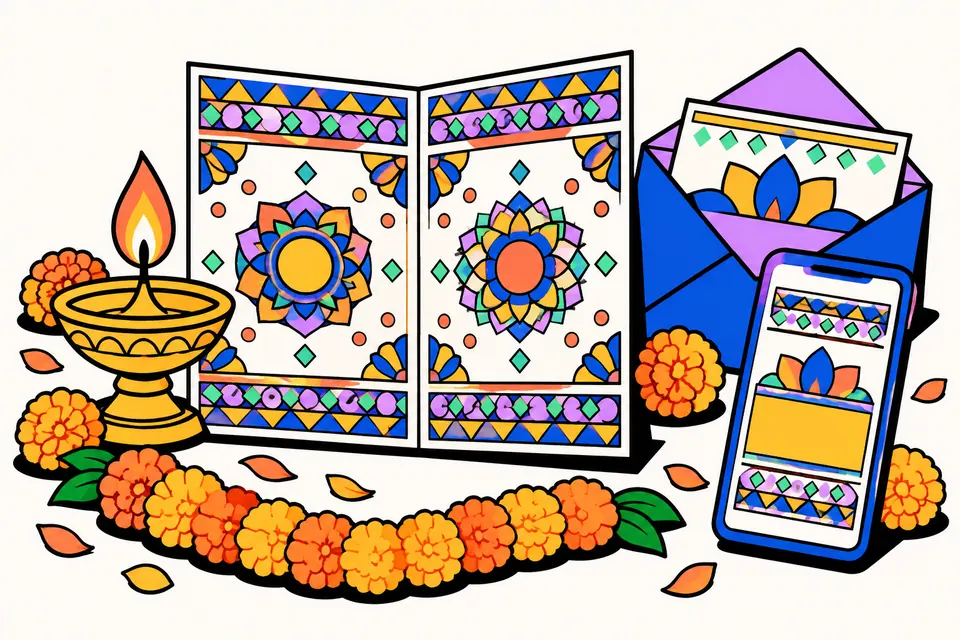
Invitation cards in Hindi or English, ready for WhatsApp
Most invitations in India now travel on WhatsApp first and on paper second, if at all. A griha pravesh, a mundan, a Satyanarayan katha at home or a child's first birthday usually needs one good-looking card that can be sent to family groups in the morning and printed for elders who prefer paper. This tool makes that card. Pick the occasion, and it fills in respectful, natural wording in Hindi or English. Change any word, add your names, date, time and address, choose a design, and download it.
The card is drawn in your browser with vector art, so it is sharp at any size, carries no watermark and needs no sign-up. Your names, address and photo are not uploaded anywhere.
How to make your invitation
- Choose the occasion. There are fifteen, from griha pravesh and birthday to godh bharai, Sukhmani Sahib path and shop opening.
- Choose Hindi or English. The heading, message and labels switch language; names and places you typed stay as they are.
- Edit the wording. Pick a top line (for example ॥ श्री गणेशाय नमः ॥) or none, then change the heading, the names to highlight and the message.
- Add when and where. Pick the date and time; the card writes them out in words, such as "रविवार, 1 नवंबर 2026" and "सुबह 9 बजे". Add a programme line, like the time of the havan or lunch, and the address.
- Add a location QR and a photo if you like.
- Pick a design, colours and lettering, then download the WhatsApp image, an animated GIF or a print PDF.
What to write on an invitation card
A good invitation answers five questions in a few seconds: what is the occasion, whose it is, when, where, and who is inviting. Everything else is decoration. The ready wording follows that order:
| Part | Hindi example | English example |
|---|---|---|
| Top line | ॥ श्री गणेशाय नमः ॥ | || Shree Ganeshaya Namah || |
| Heading | गृह प्रवेश | Griha Pravesh |
| Message | …आप सपरिवार सादर आमंत्रित हैं। | …we warmly invite you and your family. |
| Date and time | रविवार, 1 नवंबर 2026 · सुबह 9 बजे | Sunday, 1 November 2026 · 9:00 AM |
| From | निवेदक: शर्मा परिवार | With love from the Sharma family |
Keep the message to two or three sentences. Put timings that guests need in the programme line ("प्रीतिभोज: दोपहर 1 बजे से" or "Lunch: from 1 pm") rather than inside the message, and write the address the way a cab driver would search for it, with a landmark.
Designs and lettering
There are nine designs, all drawn as vector shapes: a marigold toran with a kalash and diyas, a mandala on a deep background, a geometric rangoli border, a royal arch (jharokha) frame, florals, paisley bands, a row of diyas under string lights, balloons with bunting, and a minimal frame with a lotus. None of them uses images of deities or copied artwork, so the card suits families of any tradition. Nine colour sets and five lettering styles (traditional, elegant script, festive, handwritten and modern) let you match the mood of the occasion.
The text size adjusts by itself so everything fits. If the card says there is too much text, shorten the message or drop the programme line.
Sizes you can download
- Image for WhatsApp (JPG): 1080 × 1528 px portrait or 1080 × 1080 px square. The portrait card has the same proportions as A5 and A6 paper.
- Animated GIF: a short loop with petals, lights, flickering diyas or confetti, at 540 px wide so it sends quickly.
- Print PDF: an A5 card (148 × 210 mm), an A6 card (105 × 148 mm), or an A4 sheet with two A5 or four A6 cards and dashed cut lines. Print at Actual size (100%) on card paper.
Tips before you send it
- Check the day and date together. The card works out the weekday from the date you pick, which avoids the common "Sunday, 2 November" mistake when the 2nd is a Monday.
- Test the location QR by scanning it from the downloaded image before you send it to a hundred people.
- Send the JPG with the GIF. Some phones show a GIF only after it is tapped, so the still image makes sure everyone sees the details.
- Use the elder's name the family expects in the "From" line. In Hindi cards, "निवेदक" or "दर्शनाभिलाषी" followed by the family name is the usual style.
- Keep phone numbers to one or two, and say whose they are if the card is going to both sides of the family.
Which occasion card to pick
Religious functions at home, such as a katha, havan, mundan or naming ceremony, read best with the Hindi wording and a traditional design like the mandala, rangoli or royal arch. Parties such as a birthday, kitty party or retirement dinner suit the English wording with the balloons, florals or minimal design. You can mix them freely: the wording, design, colours and lettering are all separate choices.
Privacy
Everything happens on your device. The wording and settings are saved in this browser so you can come back and edit; the photo is never saved or uploaded. The fonts used are open-licence (SIL Open Font License). This tool is not affiliated with WhatsApp or Google.
Invitation cards by occasion
Frequently asked questions
How do I make an invitation card in Hindi for free?
Choose the occasion, keep the wording in Hindi, and replace the sample names, date, time and address with yours. Pick a design and tap 'Image for WhatsApp' or download the print PDF. There is no login and no watermark.
Will the Hindi text come out correctly?
Yes. The card uses open-licence Devanagari fonts (Noto Sans Devanagari, Tiro Devanagari Hindi, Rozha One, Yatra One and Kalam) that load with the tool, so matras and conjuncts like श्री, प्र and क्ष look the same on every phone, in the image and in the PDF.
Which occasions are included?
Griha pravesh, birthday, Satyanarayan katha, mundan, naming ceremony, anniversary, shop opening, wedding, engagement, godh bharai, Sukhmani Sahib path, puja and havan, kitty party, retirement, and a blank 'Other' card. Every line can be edited.
Can I add a photo to the invitation?
Yes. Choose a photo, then zoom and drag to centre the face in the round frame. The photo stays on your device; it is never uploaded, and it is not saved when you close the page.
How do I add the location to the card?
Open the place in Google Maps, tap Share and copy the link, then paste it in the 'Google Maps link' box. The card shows a QR code that guests can scan to open the location.
What size is the WhatsApp image?
The portrait card is 1080 × 1528 pixels, the same shape as A5 and A6 paper, and the square card is 1080 × 1080 pixels. Both are sharp on phones and small enough to send quickly.
Can I make an animated invitation?
Yes. 'Animated GIF' makes a short looping card with falling petals, twinkling lights, flickering diyas or confetti, depending on the design. WhatsApp plays GIFs on most phones; send the JPG as well if a guest cannot see the animation.
Can I print the card?
Yes. Download a PDF for an A5 or A6 card, or an A4 sheet with two A5 or four A6 cards and cut lines. Print at Actual size on card paper, or take the PDF to a print shop.