Barcode Generator and Price Label Maker
Make EAN-13, UPC, Code 128 and other barcodes with the check digit worked out, then print price labels on A4 sticker sheets or thermal label rolls. Free for business use, no sign-up, and everything runs in your browser.
- 100% free
- No sign-up
- Runs in your browser
- Updated October 2026
1Barcode type
This tool only draws the barcode. To sell in supermarkets or on online marketplaces, use the EAN number allotted to your company by GS1 India, the only authorised source of barcodes starting with 890. Made-up numbers can clash with other products.
2Look
Keep dark bars on a light background. Red, yellow or light bars often fail to scan.
2Products
Leave the price empty if you do not want it (Name, , code). You can paste columns from Excel or Google Sheets: name, price, barcode, then up to two extra lines. Use English letters for names.
Make a numbered series (SKU0001, SKU0002…)
Code 128 and Code 39: prefix + number padded to the digits you choose. EAN, UPC and ITF: the prefix is the start of your GS1 number, the running number fills the remaining digits and the check digit is worked out for each code.
Extra lines print in small text under the barcode on every label. Different for one product? Add it after a | sign: Masala Chai, 120, 123456789012 | Net Qty: 250 g. They are printed text only, not part of the barcode.
3Paper
Measure one label on your roll. In the printer settings, set the paper size to the same label size and print at 100% (no scaling).
Check the label size printed on your sticker pack. If yours differs, adjust the sizes below.
Sizes and margins (mm)
Already used part of a sheet? Set the first empty label number and the tool skips the used ones.
Type a barcode number to see it.
Print the PDF at Actual size / 100%, not "Fit to page". A4 sheets: test on plain paper first and hold it against the sticker sheet in front of a light. Thermal rolls: set the printer's paper size to the label size, then print a few labels before a long run.
Scan the downloaded barcode with a phone scanner app or your billing scanner before printing many copies.
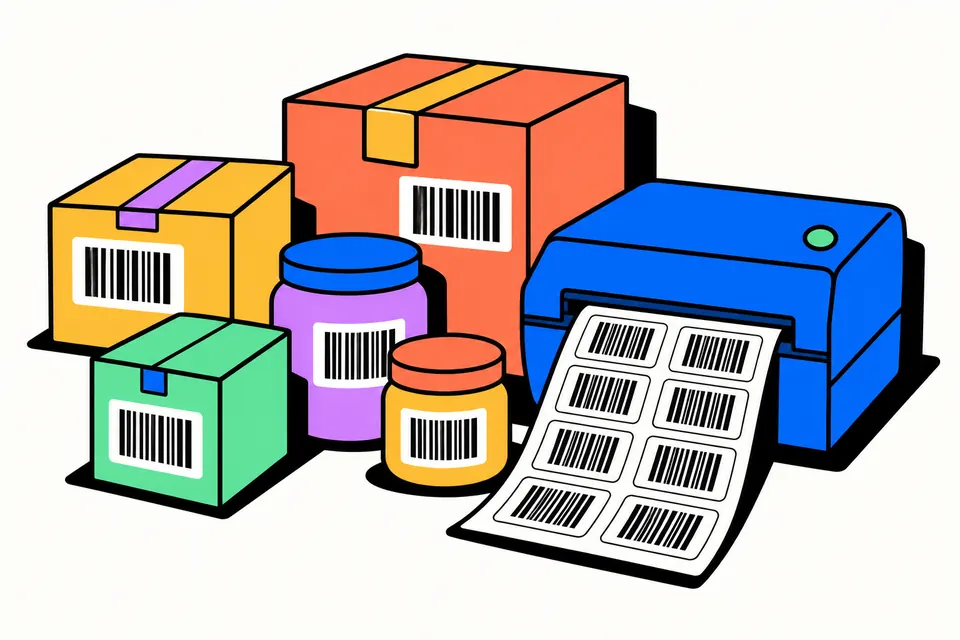
A barcode maker and price label printer in one
This tool does two jobs. In Single barcode mode it draws one barcode from a number or code you type, with the check digit worked out, and gives you a PNG for documents or an SVG for packaging artwork. In Price labels mode it takes a list of products, each with a name, price and barcode, and lays them out as a print-ready PDF, placed to the millimetre: either on an A4 sticker sheet or one label per page for a thermal label roll. It is free for shop and business use, with no sign-up and no limit.
It suits kirana and general stores putting price stickers on loose packets, home businesses selling pickles, spices or candles, boutiques tagging stock, small warehouses labelling bins, and offices tagging laptops and furniture. Nothing is uploaded: the barcodes and the PDF are made on your own device.
First, where does your barcode number come from?
A barcode is only a picture of a number. Drawing it is easy; the number is what matters.
- Products sold through retail chains or online marketplaces need a unique GS1 number. In India these are issued by GS1 India, which was set up by the Ministry of Commerce and Industry with industry bodies and says it is the only authorised provider of barcodes starting with 890. GS1 India warns against buying 890 numbers from unauthorised sellers. Once you have your numbers, this tool can draw them and print labels.
- Codes used only inside your own shop or office, such as stock codes, bin locations or asset tags, can be anything your billing or inventory software accepts. Code 128 is the usual choice for these.
Do not invent an EAN-13 number for a product you will sell through other stores. It may belong to someone else's product, and their system will show the wrong item.
How to make a barcode
- Choose the format. Most retail products in India use EAN-13.
- Type the number. For EAN-13, type the first 12 digits and the tool adds the 13th (the check digit). If you type all 13, it checks them and tells you the correct last digit if one is wrong.
- Set the bar width and height. At 4 px per bar, the PNG prints at about 100% size on a 300 dpi printer; the tool shows the printed size in millimetres.
- Download the PNG or SVG, and scan it with your billing scanner or a phone scanner app before printing many copies.
How to print price labels on an A4 sticker sheet
- Switch to Price labels.
- Type or paste your products, one per line:
Masala Chai 250 g, 120, 123456789012. Leave the price empty if you do not want it. You can paste three columns straight from Excel or Google Sheets. - Add your shop name if you want it on top, and choose the price line: "MRP ₹… (Incl. of all taxes)", "Price ₹…" or just the amount.
- Pick your sheet: 65, 40, 24, 21 or 12 labels per A4 sheet, or enter a custom layout in millimetres.
- Repeat your list to fill the page, or set copies of each product. If part of a sheet is used, set "Start at label number" to the first empty label.
- Download the PDF and print at Actual size / 100%.
Printing on a thermal label roll
Many shops use a small thermal label printer (TSC, Zebra and similar models) with a roll of stickers instead of A4 sheets. Choose Thermal label roll under Paper and pick your label size: 50 × 25, 38 × 25, 50 × 30, 75 × 50 or 100 × 50 mm, two 50 × 25 mm labels across, or a custom size. The PDF has one page per label (or per row for two-across rolls), exactly the label size. Set the same paper size in the printer settings, print at 100% / Actual size, and scan a few labels before a long run. The barcode sticker maker page explains roll printing step by step.
Extra lines and numbered series
Below the barcode you can add up to two small lines on every label, such as Pkd: 10/2026 or HSN: 0902. For a line that differs per product, add it after a | sign on that product's line, or paste it as a fourth column from a spreadsheet. These lines are printed text only; the scanner reads just the barcode.
Need running codes for stock or assets? Make a numbered series builds them for you: a prefix, a start number, how many, a step and the number of digits, so SKU0001 to SKU0500 takes one click. For EAN-13, EAN-8, UPC-A and ITF-14, the prefix is the start of your GS1 number and each code gets its own check digit.
Which barcode type is which
| Format | What it holds | Typical use |
|---|---|---|
| EAN-13 | 13 digits, last one a check digit | Retail products in India and most countries |
| EAN-8 | 8 digits | Very small packs where EAN-13 will not fit |
| UPC-A | 12 digits | Retail products for the USA and Canada |
| ITF-14 | 14 digits | Outer cartons and cases, often printed on corrugated boxes |
| Code 128 | Letters, digits and symbols | SKUs, invoice numbers, parcels, internal stock codes |
| Code 39 | A–Z, 0–9 and a few symbols | Asset tags, ID cards, older systems |
Size and printing tips
- Do not shrink too far. GS1 gives a nominal EAN-13 size of about 37.3 mm wide (with its quiet zones) and allows retail barcodes from 80% to 200% of that. The tool warns you when bars on a label get thinner than the 80% limit.
- Keep the white margins. The blank space on both sides of the bars (the quiet zone) is part of the barcode. Do not let text or a border touch it.
- Black on white works best. Red bars are invisible to many scanners, and dark backgrounds fail too.
- Print a test page. On A4, print on plain paper, hold it against the sticker sheet in front of a light, and fix the top and left margins if needed.
About MRP on labels
Under the Legal Metrology (Packaged Commodities) Rules, 2011, packaged goods sold to consumers declare a maximum retail price that is inclusive of all taxes, which is why the MRP option prints "MRP ₹… Incl. of all taxes" with two decimals. Packaged goods have other required details too, such as the name and address of the maker or packer, the net quantity and the month and year of manufacture or packing, so a price sticker does not replace the full label. The extra lines can carry some of these details, but check the full list for your product in the Legal Metrology overview from the Department of Consumer Affairs, or ask your state Legal Metrology office.
This is an independent tool and is not affiliated with GS1 or any label or printer brand.
Barcode label shortcuts
Frequently asked questions
Can I sell my product in supermarkets with a barcode made here?
The tool draws a correct barcode for whatever number you give it, but the number itself must be yours. Supermarket chains and online marketplaces generally ask for GS1 barcodes, which in India are issued by GS1 India and start with 890. Register with GS1 India, get your numbers, then use this tool to draw them or print labels.
What is the check digit in an EAN-13 barcode?
It is the 13th digit, worked out from the first 12 so a scanner can catch misreads. Starting from the right of the 12 digits, multiply digits alternately by 3 and 1, add them up, and take the amount needed to reach the next multiple of 10. Type 12 digits here and the tool adds it; type 13 and it checks it.
Which barcode type should I use for my shop?
For packaged products you sell in retail, use EAN-13 with your GS1 number. For your own stock codes, loose items, files or assets that only your own billing software scans, Code 128 is a flexible choice because it takes letters and numbers. ITF-14 is for outer shipping cartons, not single items.
Why do my labels print out of line with the stickers?
Usually the printer scaled the page. In the print dialog choose 'Actual size' or '100%', not 'Fit to page'. If it is still a millimetre or two off, adjust the top and left margins under 'Sizes and margins' and print again on plain paper.
Can I print MRP on the label?
Yes. Choose the 'MRP ₹ … (Incl. of all taxes)' price line and the label shows the price with two decimals in that wording. Packaged goods have other labelling rules too, such as the maker's name and net quantity, so this small sticker does not replace the full label on the pack.
Will my billing scanner read these barcodes?
The bars are drawn exactly to the barcode standard, so a working scanner should read them. Tiny labels have short bars and narrow lines, and glossy or low-ink printing can cause trouble. Print one sheet, scan a few labels with your own scanner, and adjust the label size if needed.
How do I get a barcode for my product in India?
Register with GS1 India, the authorised source of barcode numbers starting with 890. Its website explains the application and the documents it needs; fees depend on your plan, so check them there. Once GS1 India allots your numbers, type them here to draw the barcodes and print labels.
Can I print barcodes on a thermal label printer such as TSC or Zebra?
Yes. Under Paper, choose Thermal label roll and your label size. The PDF has one page per label at that exact size. Set the same paper size in the printer settings and print at 100%, then scan a few labels before a long run.
What is the HSN code on a barcode sticker?
HSN is the goods classification code used under GST. On a sticker it is printed as text, for example as an extra line such as HSN: 0902; it is not stored inside the barcode, and a scanner does not read it. Your billing software links the HSN to the product.