Washing Machine Level Check (Balance Meter)
Lay your phone on top of the washing machine and see at once whether it stands level, by how much it leans, and which foot to raise. A free bubble level in your browser, with calibration and an edge mode.
- 100% free
- No sign-up
- Runs in your browser
- Updated October 2026
1Place the phone
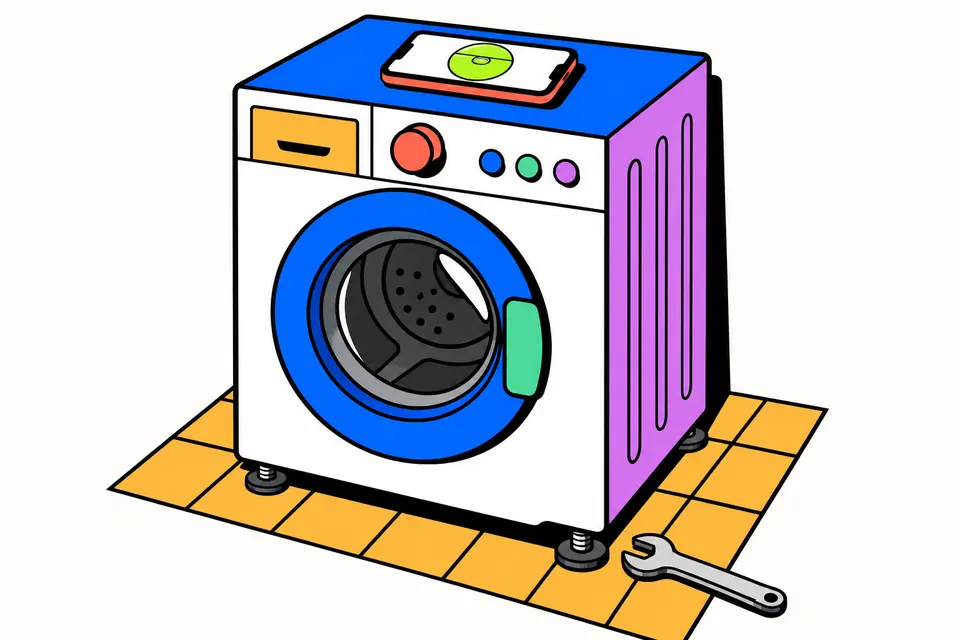
Take the cover off if it is thick or uneven. Lay the phone flat on top of the machine, screen up, with the top of the phone pointing to the back wall.
2Settings
Flat: checks front-to-back and side-to-side at once, like a round bubble level.
What are you levelling?Calibrate (optional, 2 steps)
Phone sensors and cases can be off by a little. Place the phone on any flat spot and press Step 1. Turn the phone round 180° on the same spot and press Step 2. The level then cancels the phone's own error.
Press Start
Your readings and which foot to adjust will show here.
The tilt sensor is read only on your phone. Nothing is recorded or sent.
Levelling the machine, quickly
- New front-loader? Make sure the transit (shipping) bolts at the back were taken out. They are meant only for transport.
- Empty the drum and check the floor under the machine is firm, without a loose tile, mat or wooden plank.
- Loosen the lock nut on a foot, turn the foot to raise or lower that corner, and check the bubble again.
- When the bubble sits in the middle, press down on opposite corners. If it rocks, adjust the loose foot, then tighten all lock nuts.
Feet and lock nuts differ between models, so check your machine's manual for the exact steps.
Why a level washing machine matters
A washing machine that is not level shakes hard during the spin, gets louder, and can even walk across the floor. Some machines stop the spin or show a balance error when the drum keeps hitting one side. Very often the fix is simple: one foot is a few millimetres too high or too low. This tool turns your phone into a bubble level, so you can see which side of the machine is lower and by how much, then adjust the feet until the bubble sits in the middle.
It runs in your browser and reads the phone's own tilt sensor. There is no app to install, nothing is recorded, and no data is sent anywhere. The same level works for fridges, shelves, tables, frames and anything else you want straight.
How to check the level with your phone
- Empty the drum and close the lid or door.
- Take the phone out of a thick or uneven cover, so it lies flat.
- Lay the phone on top of the machine, screen up, near the middle, with the top of the phone pointing to the back wall. This is what lets the tool say "front" and "back" correctly.
- Tap Start the level. On iPhone and iPad, tap Allow when Safari asks for motion access.
- Read the result. The bubble floats to the higher side. Under it you see the front-to-back and side-to-side tilt in degrees, and a line such as "The front is lower by 1.5° (about 16 mm over 60 cm). Raise both front feet a little."
- Adjust one foot at a time and watch the bubble. Use Hold reading if you want to lift the phone and read the last value.
- When it says Level, press down on opposite corners. If the machine rocks, one foot is not touching the floor: adjust it, then tighten all the lock nuts.
What the readings mean
| Tilt | Height difference over 60 cm | What to do |
|---|---|---|
| 0.5° | about 5 mm | Counted as level by default |
| 1° | about 10 mm | Worth fixing: adjust the foot on the lower side |
| 2° | about 21 mm | Clearly leaning: check the floor and the feet |
| 3° or more | about 31 mm or more | Check for a missing foot, a broken tile or an uneven stand |
The millimetre figure is simple trigonometry: the tangent of the angle times the width. Set your machine's real width in the Machine width box (many front-loaders are about 60 cm wide) to get your own number. You can also change when the tool calls it level: 0.2°, 0.5° or 1°.
Calibrate for a more accurate reading
Every phone sensor has a small error, and a camera bump or case can tilt the phone slightly. The 2-step calibration removes it. Put the phone on any flat spot and tap Calibrate: step 1. Turn the phone round 180° on exactly the same spot and tap Step 2. Any tilt of the surface reverses when you turn the phone, but the phone's own error does not, so the tool can separate the two and subtract the error. Calibration is saved on your phone for each mode, and Reset removes it.
Flat and edge mode
- Flat on a surface works like a round bubble level and checks both directions at once. Use it on top of the machine.
- Standing on its edge works like a long spirit level. Stand the phone on its long or short edge, screen facing you, to check one direction: a shelf, a door frame, a picture, or the side of a cabinet.
Tips for levelling the feet
- Remove transit bolts first. New front-loaders come with transit (shipping) bolts at the back that lock the drum for transport. They must come out before use. Your manual shows where they are.
- Loosen the lock nut on a foot before turning it. Screwing a foot out usually raises that corner and screwing it in lowers it, but check the manual for your model.
- Tighten the lock nuts once the machine is level, so the feet do not creep during spins.
- Many machines only adjust at the front. If the back is lower, lower the front feet instead of looking for back feet to raise.
- Check the floor. Avoid loose tiles, rugs and thin wooden planks. A firm, flat base matters more than any adjustment.
- Load evenly. One heavy item, such as a blanket or a pair of jeans alone, can throw the drum off balance even on a level machine. Mix large and small items, and don't overload.
The level reads the phone's motion sensor through the standard device orientation feature of the browser. It works on Android phones and on iPhones and iPads after you allow motion access. Most laptops and desktops have no such sensor.
More phone tools
Your phone can test itself too. Clear water from a wet speaker with the water eject sound, check the motor with the vibration test, or find dead zones with the touch screen test. See everything on the phone and device tests page.
Related pages
Frequently asked questions
How do I check if my washing machine is level?
Take any cover off your phone, lay it flat on top of the machine with the top of the phone pointing to the back wall, and tap Start the level. The bubble and the two readings show the front-to-back and side-to-side tilt, and the advice line tells you which side is lower.
Washing machine hilti kyon hai?
Aksar machine ke chaaron pair zameen par barabar nahi tikte, machine ek taraf jhuki hoti hai, kapde ek taraf jama ho jaate hain, ya nayi front-load machine ke transit bolt nahi nikale gaye. Pehle phone se level check karein, phir pair adjust karke lock nut tight karein.
How level does a washing machine need to be?
As close to level as you can get it, and it must not rock. By default this tool counts within 0.5 degrees as level, which is about 5 mm across a 60 cm wide machine. Your machine's manual may give its own tolerance.
My washing machine is level but still shakes. Why?
A level top does not prove all four feet touch the floor. Press down on opposite corners: if it rocks, adjust the loose foot and tighten the lock nuts. Also check the transit bolts on new front-loaders, overloading, a single heavy item like a blanket, and a soft or uneven floor.
Which way do I turn the foot to raise it?
It depends on the model, so check your manual. On most machines you first loosen the lock nut, then screw the foot out to raise that corner or in to lower it, and finally tighten the lock nut against the body so the foot cannot creep.
Does it work on iPhone?
Yes. On iPhone and iPad, Safari asks for permission to use motion and orientation when you tap Start: choose Allow. On Android it works in Chrome, Edge, Samsung Internet and Firefox without a prompt. Laptops usually have no tilt sensor.
How accurate is a phone spirit level?
Phone sensors are good enough for a washing machine, a shelf or a picture frame, but a cover, the camera bump or a small sensor error can shift the reading. Use the 2-step calibration on a flat spot to cancel the phone's own error, and use a proper spirit level for building work.