Science Project Ideas and Project File Maker
Find a safe science project for your class from things you already have at home, then turn it into a neat project file with a cover page, certificate, acknowledgement, index and all the write-up pages.
- 100% free
- No sign-up
- Runs in your browser
- Updated October 2026
1Find a project idea
Things I have at home
Tick what you have. You'll see only projects that need nothing else (paper, pens, scissors, tape and water are assumed).
87 project ideas
Every idea uses safe, everyday things. Steps marked "with an adult" involve heat, sharp tools or electricity from cells: do them only with an adult. Never use mains electricity or strong chemicals.
2Project report details
Pick "Use in my report" on any idea above to fill the aim, materials and steps, or type your own.
3Design and pages
Cover page design Colour Pages in the file4Write-up
Leave a box empty to get ruled lines in the file, so you can write it by hand after the experiment.
A4 pages, ready to print and put in your project file. The Word file lets you change anything. Your details are saved in this browser only.
Science projects from things you already have
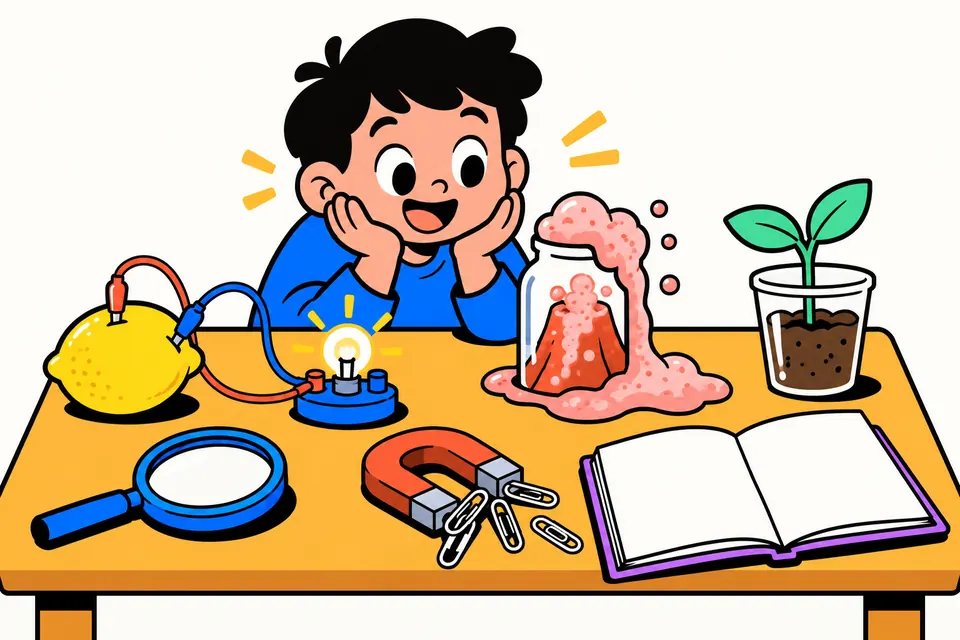
Most school science projects don't need a kit from a shop. A lemon, a few coins and some wire can light an LED. A glass of water and a postcard can show air pressure. A plastic bag taped to a window turns into a small water cycle. The hard part is usually choosing: there are hundreds of "project ideas" lists online, but few of them say which class an idea suits, what exactly you need, or what the experiment is supposed to show.
This page has 87 original project ideas for Classes 3 to 10, written for Indian homes and classrooms. Each one lists the aim, the materials (household things first), step-by-step instructions, what it shows in simple words, what to record, and a safety note. You can filter by class, subject, time and the things you have at home. When you've chosen, one tap fills a project report maker that prints the whole project file: cover page, certificate, acknowledgement, index and the write-up pages.
It's meant for students, for parents helping with homework, and for teachers who want a quick list of safe activities for a science fair or an activity period.
How to use it
- Pick your class. Ideas that suit that class appear, and the ones matching that year's science topics come first with a "Top pick" label.
- Narrow it down. Choose a subject (physics, chemistry, biology or environment) and how much time you have: under an hour, one day, or several days for projects that need observation, like growing seeds or rusting nails.
- Tick what you have. Open "Things I have at home" and tick lemons, balloons, bottles, a magnet and so on. The list then shows only projects that need nothing else. Paper, pens, scissors, tape and water are assumed.
- Open an idea and read it through. Check the safety note. If a step needs heat, a knife, a candle or cells, do it with an adult.
- Tap "Use in my report". The title, introduction, aim, materials, procedure and precautions are filled in for you. Add your school, name, class, roll number and teacher's name.
- Do the experiment, then complete the file. Type your observations, result and conclusion, or leave them empty to get ruled lines and a box for a photo or diagram. Download the A4 PDF or the Word file, or print directly.
What a school project file usually contains
Schools and boards set their own format, and your teacher's instructions always come first. Most files follow this order, and the report maker uses it too. You can untick any page you don't need.
| Page | What goes on it |
|---|---|
| Cover page | School name, subject, project title, your name, class, roll number, teacher and session |
| Certificate | A short statement that you completed the project under your teacher's guidance, with signature lines for the teacher and examiner or principal |
| Acknowledgement | A thank-you note to your teacher, principal, parents and friends |
| Index | The list of pages with page numbers and a remarks column for the teacher |
| Introduction and aim | The science behind the project, and one or two lines on what you want to find out |
| Materials and procedure | Everything you used, and numbered steps someone else could follow |
| Observations | What you saw and measured, best as a table, with a photo or labelled diagram |
| Result and conclusion | What happened, and what it shows |
| Bibliography | Books, websites and people you learnt from |
The index page numbers are worked out automatically from the PDF, so they stay correct when a long procedure runs on to a second page.
Matching projects to your syllabus
NCERT's newer science textbooks for Classes 6 to 8 are called Curiosity. The Class 6 book covers topics such as magnets, separating mixtures, the states of water, temperature and the living world. Class 7 includes acids, bases and neutral substances, electric circuits, physical and chemical changes, heat transfer, and light. The Class 8 book opens with the investigative world of science, microorganisms, health, the magnetic and heating effects of electric current, forces, pressure, winds and storms, and the particle nature of matter. The "Top pick" ideas for each class follow these topics, but state boards differ, so check your own textbook chapter.
For Classes 9 and 10, choose projects where you measure something and change one thing at a time, such as the pendulum, solar heater, greenhouse jar or the electricity audit of your home. Examiners like a clear table and a graph.
Tips for a good project
- Change one thing at a time. In the seed germination project, only the condition in each cup changes; the seeds, the cups and the amount of cotton stay the same. That's what makes it a fair test.
- Measure, don't just describe. "The balloon got bigger" is weaker than "the balloon was 18 cm around after 30 minutes, and 9 cm with no sugar".
- Repeat it. Doing a test three times and taking the average makes your result more reliable.
- Take photos as you go. Paste them on the observations page or in the box the file leaves for them.
- Write the conclusion in your own words. Say what happened and why. If the result was not what you expected, say so and suggest a reason; that's real science too.
- Explain it out loud. If there's a viva or exhibition, practise telling someone the aim, what you did and what it shows in one minute.
Safety first
Every idea here avoids strong chemicals and mains electricity. A few use warm water, a candle, a knife or small cells, and those are clearly marked. Do those steps only with an adult, work on a tray or outdoors when there may be spills, keep long hair tied back near any flame, and never taste anything used in an experiment. For the rain gauge, the India Meteorological Department measures rainfall the same way, in millimetres of water collected; keep your gauge away from roof edges when you read it.
Everything you type stays in your browser. Nothing is uploaded, and there's no sign-up or watermark.
Projects by class and file pages
Frequently asked questions
Which science project is easy to make at home?
Projects like the baking soda volcano, egg in salt water, string telephone, water cycle in a bag and the floating needle compass use only kitchen and stationery items and take under an hour. Tick the things you have under 'Things I have at home' and the list shows only projects you can do with them.
What is a good science project for class 6, 7 or 8?
Choose your class in the filter and the ideas that match that year's topics come first, marked 'Top pick'. For example: a needle compass or salt-and-sand separation for class 6, a turmeric or china rose indicator for class 7, and an electromagnet or a yeast balloon for class 8.
What should a science project file contain?
Most schools ask for a cover page, certificate, acknowledgement, index, introduction and aim, materials, procedure, observations, result and conclusion, and a bibliography. This tool makes all of these pages. If your teacher gives a different order or list, follow the teacher's format.
How do I write the observation and conclusion?
Do the experiment first. Write what you actually saw and measured, ideally in a table with numbers, then explain in one or two lines what it shows. If you leave those boxes empty, the file prints ruled lines and a box for a photo or diagram so you can write them by hand.
Who signs the certificate page?
Your subject teacher signs it, and sometimes the examiner or principal too. The page has the wording and the signature lines; you only fill in your details. Don't sign it yourself.
Can I make only a cover page for my project file?
Yes. Under 'Pages in the file', untick everything except the cover page. There are three cover designs and seven colours, and the PDF prints on A4.
Are these experiments safe for children?
They use everyday things and no strong chemicals or mains electricity. Steps that need heat, sharp tools, candles or cells are marked, and each idea has a safety note. Children should do those steps with an adult.
Can I edit the project file in Word?
Yes. Download the Word (.docx) file, which has the same pages, and change anything you like in Microsoft Word, Google Docs or WPS Office.