Festival Poster Maker with Name and Photo
Make a festival wishes poster with your name, photo, shop name, phone and logo, in Hindi or English. Send it on WhatsApp, post it on Instagram or print it, free and without a watermark.
- 100% free
- No sign-up
- Runs in your browser
- Updated October 2026
1Festival and language
Switching changes only the ready wording. Your name, shop details and anything you typed yourself stay.
2Wishes
3Your name and photo
Works best for photos of people. Runs on your device.
4Shop or business optional
Use your own logo only. It is remembered in this browser for your next poster.
5Design
Design6Preview and download
Showing a sample. Add your name, photo or shop to make your poster.
Print at "Actual size". The print poster uses the A-size shape, so the layout is a little taller than the square image.
Nothing is uploaded and there is no watermark. Not affiliated with any brand or government body.
Quick answer
MuftTools.in's free Festival Poster Maker makes greeting posters with your name, photo and shop details, in Hindi or English, for nine occasions including Diwali, Bhai Dooj, Chhath Puja, New Year and Holi. Pick the festival, add your photo and name, choose one of four designs, then download a JPG, PNG, animated GIF or A4/A3 PDF. It runs in your browser, with no watermark.
- Occasions
- 9, from Diwali, Bhai Dooj and Chhath Puja to New Year 2027, Republic Day and Holi
- Designs
- 4 per festival, with a round, arch or cut-out photo frame
- Languages
- Ready wishes in Hindi and English, every line editable
- Sizes
- 1080 × 1080, 1080 × 1920, 1080 × 1350, and A4 or A3 PDF
- Downloads
- JPG, PNG, animated GIF and PDF
- Price
- Free, no watermark, no sign-up; photo and logo stay on your device
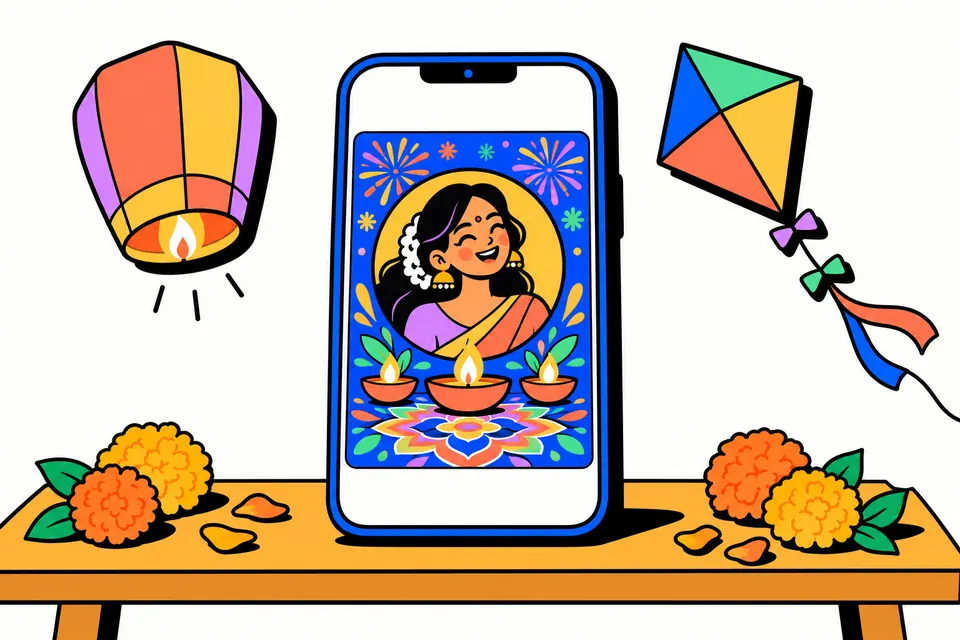
A festival poster with your own name and photo
Around every big festival, phones fill up with greeting images. The ones people stop to look at carry a familiar face and name: a neighbour's photo with "शुभ दीपावली", a sweet shop's wishes with its phone number, a school's Republic Day greeting with the principal's name. This tool makes that kind of poster in a couple of minutes, in Hindi or English, without an app, a sign-up or a watermark.
It covers nine occasions: Diwali, Bhai Dooj, Chhath Puja, Guru Nanak Jayanti, Christmas, New Year 2027, Makar Sankranti with Lohri and Pongal, Republic Day and Holi. Each has four designs drawn from scratch (diyas, rangoli, lanterns, kites, a Pongal pot, a Lohri fire, colour splashes and more), ready wishes in both languages, and room for a shop name, phone, address and logo. It suits families sending wishes, small shops greeting customers, coaching centres, societies and anyone who wants their greeting to look personal rather than forwarded.
How to make your poster
- Pick the festival and language. The greeting, the small line on top and the message fill in by themselves. Tap any ready line to swap it, or type your own.
- Add your photo (optional). Drag it in the small frame to centre your face and use the zoom slider. Choose a round frame, an arch, or Cut-out, which places you on the design without a box.
- Remove the background if the photo was taken in a cluttered room. A small person-detection model runs in your browser; the photo is never sent anywhere.
- Type your name and an optional line under it, such as "एवं परिवार", "& family" or your designation.
- Add shop details if the poster is from a business: name, phone, a short address and your logo. They sit in a strip along the bottom.
- Choose a design, lettering and size, then download a JPG for WhatsApp, a PNG, an animated GIF, or an A4 or A3 PDF to print.
Sizes for WhatsApp, Instagram and print
| Use | Size in the tool | Tip |
|---|---|---|
| WhatsApp chats and groups | Square, 1080 × 1080 px | Shows in full in the chat without cropping. |
| WhatsApp status, Instagram story | 1080 × 1920 px | The tall layout gives the photo and name more room. |
| Instagram post | 1080 × 1350 px | The 4:5 portrait post that fills more of the feed. |
| Shop counter or notice board | A4 or A3 PDF | Print at "Actual size" on glossy or thick paper. |
The animated GIF is half the pixel size of the image and loops a few gentle movements: diya flames, twinkling lights, falling snow, drifting kites or colour clouds. GIFs are heavier than JPGs, so send the JPG to groups where people are on slow data.
Festival dates, and where they come from
The date line is empty unless you add it, because many festivals fall on different days in different places. When you tap a date chip, the tool uses the dates in the Department of Personnel and Training (DoPT) lists of holidays for central government offices:
- Diwali (Deepavali): Sunday, 8 November 2026. DoPT notes that some states mark it a day earlier, on Naraka Chaturdashi.
- Bhai Duj: Wednesday, 11 November 2026, and Chhath Puja (Pratihar or Surya Shashthi): Sunday, 15 November 2026, both from the restricted holiday list.
- Guru Nanak's Birthday: Tuesday, 24 November 2026. Christmas Day: Friday, 25 December 2026.
- From the 2027 list (DoPT O.M. dated 16 July 2026): New Year's Day on Friday, 1 January; Makar Sankranti on Thursday, 14 January; Pongal on Friday, 15 January; Republic Day on Tuesday, 26 January; Holi on Tuesday, 23 March, with Holika Dahan the evening before.
Lohri is not on the central list, so the tool offers no date for it. Chhath is a four-day festival and the exact days of each ritual follow the local panchang, so check with your family priest or local calendar if you want to print a specific arghya time. You can always type any date yourself.
Republic Day posters and the national flag
The Flag Code of India, published by the Ministry of Home Affairs, says the National Flag should not be used as a festoon, rosette, bunting or in any other way for decoration. That is why the Republic Day designs here never draw the flag or the Ashoka Chakra. They use saffron, white and green as free-flowing waves and rays, with an India Gate silhouette in one design. If you want the flag itself on a poster, follow the rules on the MHA flag page.
Writing wishes that feel personal
- Keep the greeting short. "शुभ दीपावली" or "Happy Holi" reads well even as a small thumbnail in a chat list. Put the longer thought in the message.
- Write for the person reading it. A shop can thank customers for their trust; a family can wish health and togetherness. The ready messages include both kinds.
- Use names people know you by. "Rahul Sharma & family" or "शर्मा स्वीट्स, सदर बाज़ार" is clearer than a long title.
- Offers go in the badge. If you are a shop, the Offer line appears in a pill under the name, for example "दीपावली ऑफर: सभी मिठाइयों पर 10% छूट". Only promise what you will honour.
- Use only your own logo and photos. Do not put another company's logo, a celebrity's photo or someone else's picture on your poster without permission.
Common mistakes
- Too much text. When the words do not fit, the tool shrinks them and shows a warning. Shorten the message or switch to the tall status size.
- A dark or sideways photo. Use the Rotate button, and pick a photo taken in daylight. Background removal works best when you stand in front of a plain wall.
- Printing a phone image. A 1080 px square looks soft on paper. For printing, download the A4 or A3 PDF, which is drawn at 200 dpi.
- Forgetting the number. For a business poster, check the phone number twice before sending it to a hundred contacts.
Your photo stays with you
The poster is drawn on your own phone or computer. The photo, the background removal and the logo never leave your device. Only the text you type is saved in this browser, along with your logo if you add one, so next festival you can open the page, switch the festival and download a new poster in seconds. There are no deity pictures, brand logos or copied artwork in the designs; every lamp, kite and flower is drawn by the tool itself.
Festival poster pages
Frequently asked questions
How do I make a Diwali poster with my name and photo?
Keep Diwali selected, add your photo, type your name and pick a greeting and message from the ready options or write your own. Choose a design and size, then tap Image for WhatsApp to download it. Everything happens in your browser.
Can I add my shop name, phone number and logo?
Yes. Fill in the Shop or business section and the poster gets a strip at the bottom with your logo, shop name, phone and a short address. Your logo is remembered in this browser, so the next festival poster takes a few seconds.
Which festivals can I make posters for?
You can make posters for nine festivals: Diwali, Bhai Dooj, Chhath Puja, Guru Nanak Jayanti, Christmas, New Year 2027, Makar Sankranti with Lohri and Pongal, Republic Day and Holi. Each festival has four designs and its own ready wishes in Hindi and English, and every line can be edited.
दीपावली की शुभकामनाएँ नाम के साथ कैसे बनाएँ?
'हिंदी' चुनें, 'शुभ दीपावली' या 'दीपावली की हार्दिक शुभकामनाएँ' जैसी पंक्ति टैप करें, अपना नाम और फोटो जोड़ें, फिर डिज़ाइन चुनकर JPG डाउनलोड करें। हिंदी फ़ॉन्ट टूल में ही है, इसलिए हर फोन पर अक्षर सही दिखते हैं।
Can I remove the background from my photo?
Yes. Turn on Remove photo background, or choose the Cut-out frame. A small person-detection model runs inside your browser, so the photo is never uploaded. It works best on a clear photo of one person.
What size should I use for WhatsApp status and Instagram?
Use 1080 × 1080 for WhatsApp chats and groups, 1080 × 1920 for a WhatsApp status or Instagram story, and 1080 × 1350 for an Instagram post. For a printed poster, download the A4 or A3 PDF.
Can I make an animated poster?
Yes. Tap Animated GIF and the poster is saved with flickering diyas, twinkling lights, falling snow or drifting colours, depending on the design. A GIF is larger than a JPG, so send the JPG if your contacts have slow data.
Is there a watermark or a charge?
No. Every download is free, with no watermark, no sign-up and no app. Your photo and logo stay on your device.