Photo Resizer: Resize Image in KB, Pixels or CM
Resize one photo or twenty to an exact pixel size, a print size in cm, mm or inches at the DPI you need, or a percentage, and keep the file inside a KB limit. Free, and nothing is uploaded.
- 100% free
- No sign-up
- Runs in your browser
- Updated October 2026
1Add photos
2New size
Pixels = size in inches × DPI (1 inch = 2.54 cm). Use 300 DPI for printing, or the DPI your form asks for.
3Format and file size
Preview
Add a photo to see the result.
Nothing is uploaded. Photos are resized inside your browser and are gone when you close the page.
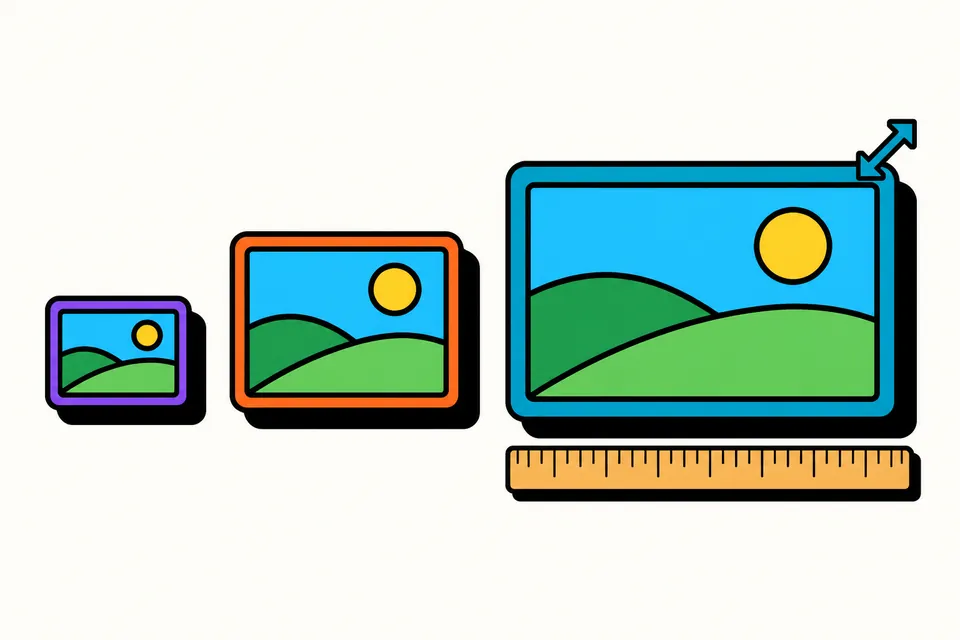
A photo resizer for forms, prints and websites
Most of the time you need a photo at a size someone else has decided. A job portal wants 200 × 230 pixels, a print shop wants 6 × 4 inches, a form wants a JPG under 100 KB, and your website theme wants images 1080 pixels wide. This photo resizer handles all of these in one place, in your browser, with no upload and no watermark.
It is useful for:
- Students and job seekers who need a photo or a scanned document at a set size for an online application.
- Shop owners and online sellers resizing a batch of product photos to one width for a catalogue or a marketplace.
- Anyone printing photos who needs the right number of pixels for a print size in cm or inches.
- Bloggers and website owners who want lighter images that still look sharp.
For exam forms with fixed photo and signature rules, the exam photo and signature resizer has the official sizes for each exam built in. For passport photos and print sheets, use the passport size photo maker. If you only want a smaller file without changing the pixel size, the image compressor is quicker.
How to resize a photo
- Add your photos. Tap the box or drag files onto it. You can add up to 20 JPG, PNG or WebP images at once, or paste a screenshot with Ctrl+V.
- Choose how to set the size. Use Pixels for an exact pixel size, cm / inch (also mm) for a print size at a chosen DPI, or Percentage to scale everything by the same amount.
- Decide what happens if the shape is different. Keep shape fits the photo inside your size without cutting anything. Crop to exact size fills the size completely; drag the preview to choose which part to keep.
- Pick the format and, if needed, a KB range. JPG suits photos and most forms. Set a minimum and maximum KB if the form asks for one.
- Download. Save each photo on its own, or all of them together as a ZIP file.
Leave the height empty in the Pixels tab to set only the width; the height then follows the photo's own shape. This is handy when resizing a batch of photos to the same width.
Pixels, cm and DPI explained
A digital photo has no size in centimetres on its own. It only has pixels. The size in cm appears when the photo is printed or placed on a page at a certain resolution, measured in dots per inch (DPI). The rule is simple: pixels = size in inches × DPI, and one inch is 2.54 cm. So a 3.5 cm wide photo at 300 DPI needs 3.5 ÷ 2.54 × 300 = 413 pixels.
This is why a form that gives a size in cm, without a DPI, is not complete. If the form gives a pixel size, use the pixels. If it gives cm and a DPI, enter both in the cm tab. If it gives cm only, 200 or 300 DPI is a sensible choice, and the KB limit usually matters more.
| Size | At 200 DPI | At 300 DPI |
|---|---|---|
| 2.5 × 3.5 cm | 197 × 276 px | 295 × 413 px |
| 3.5 × 4.5 cm | 276 × 354 px | 413 × 531 px |
| 6 × 2 cm | 472 × 157 px | 709 × 236 px |
| 2 × 2 inch | 400 × 400 px | 600 × 600 px |
| 4 × 6 inch | 800 × 1200 px | 1200 × 1800 px |
| A4 (21 × 29.7 cm) | 1654 × 2339 px | 2480 × 3508 px |
When you resize in cm, the tool also writes the DPI into JPG and PNG files. Printing programs and print shops then know the intended size. Some programs ignore it, so always choose "actual size" or "100%" when printing.
Resizing to a size in KB
File size in KB and pixel size are related but not the same. A JPG's size depends on its pixels, its quality setting and how much detail the photo has. A plain wall compresses well; a crowded market scene does not. That is why the tool searches for the right quality for each photo instead of using one fixed setting.
- To make a file smaller, set a maximum KB. The tool lowers the JPG or WebP quality only as far as it must. If the lowest quality is still too big, reduce the pixel size.
- To make a file bigger, set a minimum KB. Some forms reject files that are too small. For JPG and PNG the tool adds harmless padding inside the file to reach the minimum. The picture looks exactly the same.
- PNG is lossless, so its size cannot be squeezed with a quality setting. Choose JPG for photos that must fit a KB limit.
Tips for good results
- Start from the original photo. Photos sent through chat apps are already shrunk and compressed, so resizing them up will look soft.
- Crop rather than stretch. If your size has a different shape from the photo, use crop mode and drag to keep the important part. The tool never stretches or squashes faces.
- Check the result list. Each row shows the old and new pixel size and KB, and says if a photo was enlarged or missed the KB range.
- Keep a copy of the original. Resizing makes a new file; your original stays as it was on your device.
- Location data is removed. The new file is drawn from the pixels only, so the date, camera and GPS details stored by phones are not copied into it.
Private by design
Many online resizers upload your photo to their server, process it there and ask you to trust that it gets deleted. This one does not upload anything. All the work happens with your browser's own image tools on your phone or computer, which is why it also works on a slow connection once the page has loaded. Close the tab and the photos are gone.
Frequently asked questions
How do I resize a photo to 3.5 × 4.5 cm?
Open the cm / inch tab and tap the 3.5 × 4.5 cm button, or type the width and height in cm. Pick the DPI: 300 for printing, or the DPI your form asks for. The tool shows the pixel size it will make, crops the photo to that shape and lets you drag to choose which part to keep.
How many pixels is 3.5 × 4.5 cm?
It depends on the DPI. Divide the centimetres by 2.54 to get inches, then multiply by the DPI. At 300 DPI, 3.5 × 4.5 cm is 413 × 531 pixels. At 200 DPI it is 276 × 354 pixels, and at 96 DPI it is 132 × 170 pixels.
How do I resize an image to a size in KB, like 50 KB or 20 KB?
Choose JPG, set File size limit to a KB range and type the minimum and maximum, for example 20 and 50. The tool picks the highest quality that stays under the maximum. If even the lowest quality is too big, enter a smaller pixel size, because fewer pixels need fewer KB.
Can I increase the KB size of a photo?
Yes, for JPG and PNG. If your file comes out below the minimum KB a form asks for, the tool first uses the highest quality and then adds harmless padding data to the file, so it reaches the minimum. The picture itself does not change or get sharper; only the file size goes up.
What DPI should I choose?
Use the DPI your form or print shop asks for. If nothing is given, 300 DPI is the usual choice for photo prints, and 200 DPI is a common middle ground for scanned documents. The DPI is also written into JPG and PNG files, so printing software knows the intended size.
Will resizing make my photo blurry?
Making a photo smaller keeps it sharp. Making it much bigger than the original cannot add detail, so an enlarged photo can look soft. The result list tells you when a photo was enlarged. For the clearest result, start from the original camera photo, not a WhatsApp copy, which is already reduced.
Are my photos uploaded to a server?
No. Resizing, cropping and compression all happen inside your browser on your own phone or computer. Your photos are not sent to us or stored anywhere, and they disappear when you close the page, so download the results first.
Can I resize iPhone HEIC photos?
Safari on iPhone and Mac can open HEIC photos, so they work there. Most other browsers cannot read HEIC. If you see a message about it, open the page in Safari on your iPhone, or set Settings › Camera › Formats to Most Compatible so new photos are saved as JPG.