Made in IndiaFree · No sign-up

AI Photo Prompt Generator

Pick what is in your photo, a style, the light, a background and a size, and get a ready prompt to paste into ChatGPT or Gemini with your photo. Free, no sign-up.

  • 100% free
  • No sign-up
  • Runs in your browser
  • Updated October 2026

1Build your prompt

What is in your photo?
Size
Open ChatGPTOpen Gemini

Then attach your photo in the AI app and paste the prompt. Results vary: if the face changes, ask the app to "keep my face exactly the same as in the photo" and try again.

My saved prompts

Saved only in this browser on this device.

Ready prompts people like

  1. Tap Copy full prompt (or Copy code).
  2. Open ChatGPT or Gemini and attach your photo.
  3. Paste and send.

16 prompts

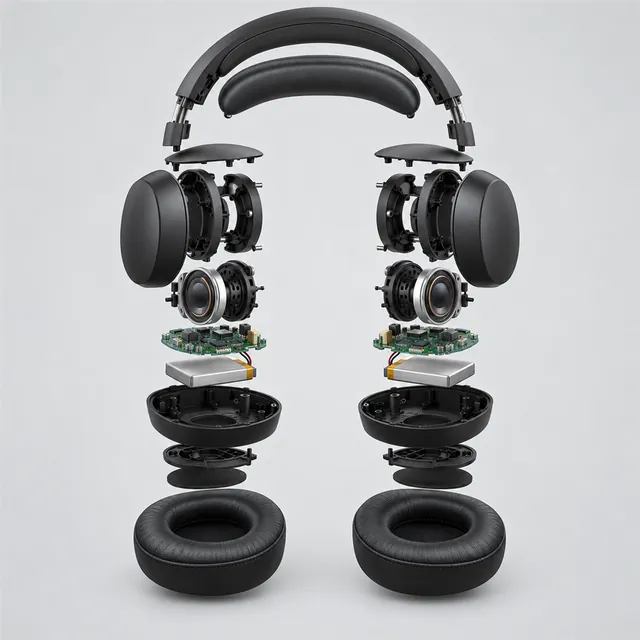
Matte-black wireless headphones in an exploded view, with ear cups, drivers, circuit boards and cushions floating apartTrending

Exploded view

/explodedviewProduct & technical also /exploded

Shows your product's parts floating apart, like a technical diagram.

Using the attached product photo, create a clean exploded-view technical illustration of this exact product. Keep its shape, colours, finish and proportions exactly as in the photo. Separate the main parts along one axis, floating a short distance apart in their real assembly order, with thin, faint guide lines showing how they fit together. Plain off-white background, soft even studio light and a gentle shadow under each part. Three-quarter view from slightly above, like a 50 mm product shot, with the whole product centred and evenly spaced. Square 1:1 format. Avoid adding text, labels, numbers or logos, invented parts, and warped or melted shapes.

Open ChatGPTOpen Gemini
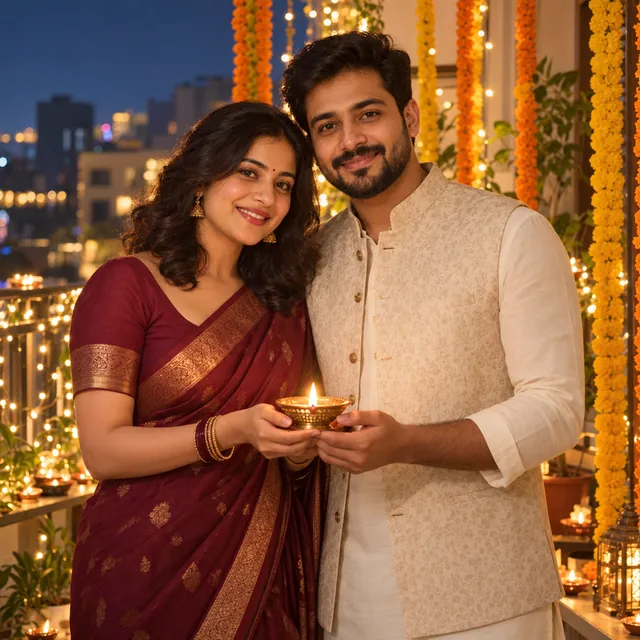
Indian couple holding a lit brass diya together on a balcony with fairy lights and marigold garlands on Diwali nightTrending

Diwali couple

/diwalicoupleFestival couple

The two of you holding a lit diya on a balcony on Diwali evening.

Using the attached photo of the two of us, keep both our faces, skin tones, hairstyles and body shapes as in the photo. Show us on a home balcony on Diwali evening, standing close and smiling, holding a lit brass diya together. Dress us in festive clothes such as a deep maroon silk saree and a cream kurta with a Nehru jacket. Behind us, warm fairy lights and marigold garlands, with a small rangoli on the floor and soft golden light on our faces. Realistic photo, waist-up, 4:5. Avoid text, extra people, extra fingers and changes to our faces.

Open ChatGPTOpen Gemini
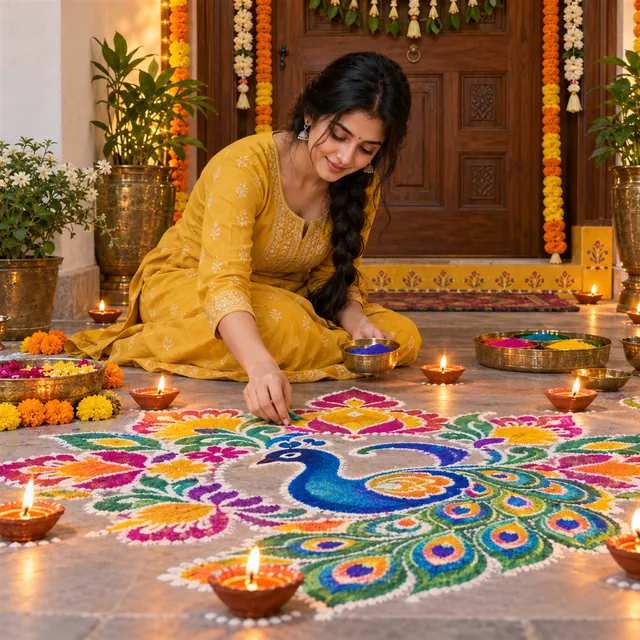
Young Indian woman in a mustard kurta finishing a colourful peacock rangoli at a doorstep, surrounded by lit clay diyasTrending

Rangoli at the door

/rangoliDiwali week

You finishing a bright rangoli at your doorstep, with diyas around it.

Using the attached photo, keep my face, skin tone and hairstyle as in the photo. Show me sitting on the floor at my doorstep, finishing a bright, symmetrical rangoli of flower and peacock shapes in pink, orange, yellow and green powder, with a small brass bowl of colour in one hand. Clay diyas glow around the rangoli, and the door behind me has a toran. Warm evening light, seen from slightly above. Realistic photo, 4:5. Avoid text, colour smudged on my face, extra fingers and changes to my face.

Open ChatGPTOpen Gemini
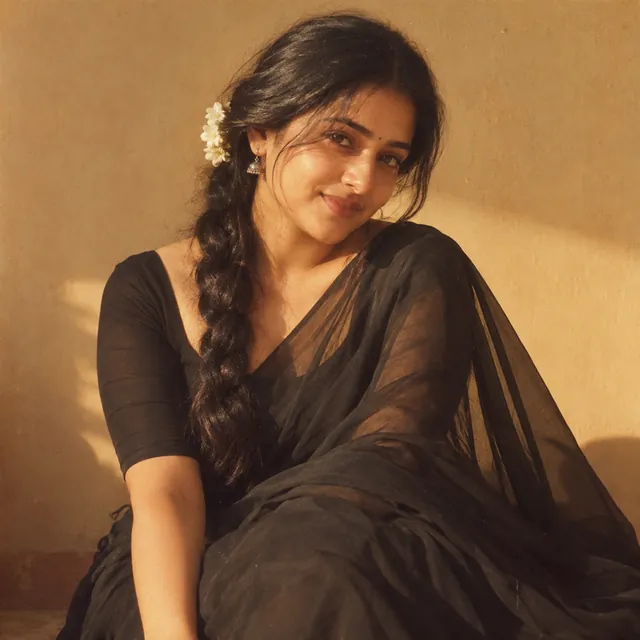
Warm, grainy 1990s-style portrait of a young Indian woman in a black chiffon saree with a flower in her hair

Vintage saree portrait

/vintagesareeSaree trend also /aisaree, /retrosaree

The grainy, golden-lit chiffon saree look from the 2025 trend.

Using the attached photo, keep my face, skin tone and hairstyle as in the photo. Create a retro, grainy portrait of me in a flowing black chiffon saree with a plain blouse and a small fresh flower tucked behind one ear, standing against a warm, plain wall. Soft golden light from one side casts a gentle shadow, with a dreamy 1990s film look, grain and slightly faded colours. Calm, graceful expression, looking slightly away. Portrait 4:5. Avoid text, heavy makeup, revealing styling, extra fingers and changes to my face.

Open ChatGPTOpen Gemini
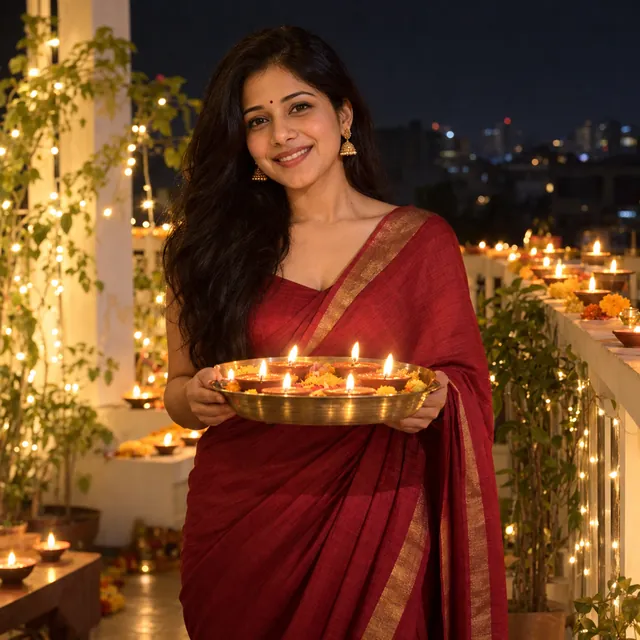
Young woman in a deep red silk saree holding a brass plate of lit diyas on a terrace lined with diyas on Diwali nightTrending

Diwali saree evening

/diwalisareeDiwali week also /diwaligirl, /diwalisari

You in a silk saree on a lamp-lit terrace on Diwali night.

Using the attached photo, keep my face, skin tone, hairstyle and body shape as in the photo. Show me on a home terrace on Diwali night in a deep red silk saree with a thin gold border, small gold jhumkas and a simple bindi. I am holding a brass plate of lit diyas at chest height, with rows of diyas along the parapet, warm fairy lights and a few sky lanterns far away in the dark-blue sky. Soft golden light on my face, natural skin texture. Realistic photo, waist-up, 4:5. Avoid text, fireworks close to me, extra fingers and changes to my face.

Open ChatGPTOpen Gemini
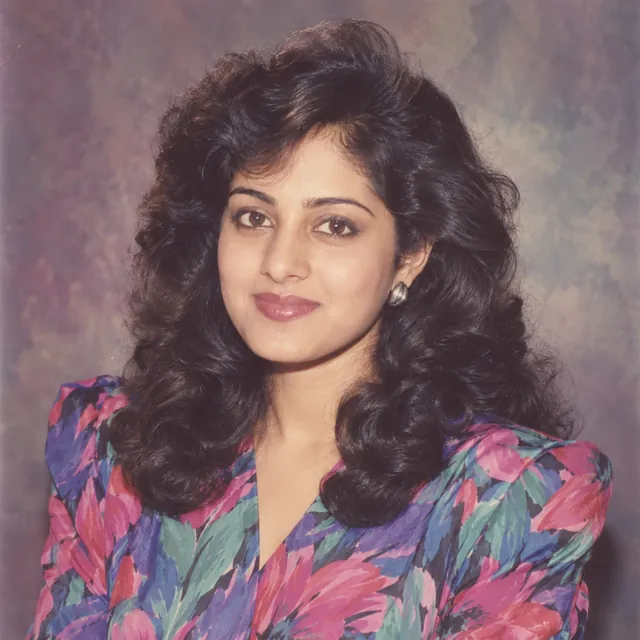
1980s-style studio portrait of a young Indian woman with big soft curls and a bright floral blouse with shoulder pads

1980s photo

/80sretroRetro looks also /1980s, /80sphoto

Looks like a real photo taken in the 1980s, with flash and grain.

Using the attached photo, keep my face, features and skin tone as in the photo and turn it into a photo taken in the 1980s. Give me a typical 80s hairstyle and outfit, such as big soft curls or a neat side parting, and a printed shirt or a bright blouse with shoulder pads. Use direct on-camera flash, a slightly washed-out colour-print look, a warm cast, film grain and a mottled studio backdrop. Natural, school-photo style pose. Portrait 4:5. Avoid text, date stamps, real actors, extra fingers and changes to my face.

Open ChatGPTOpen Gemini
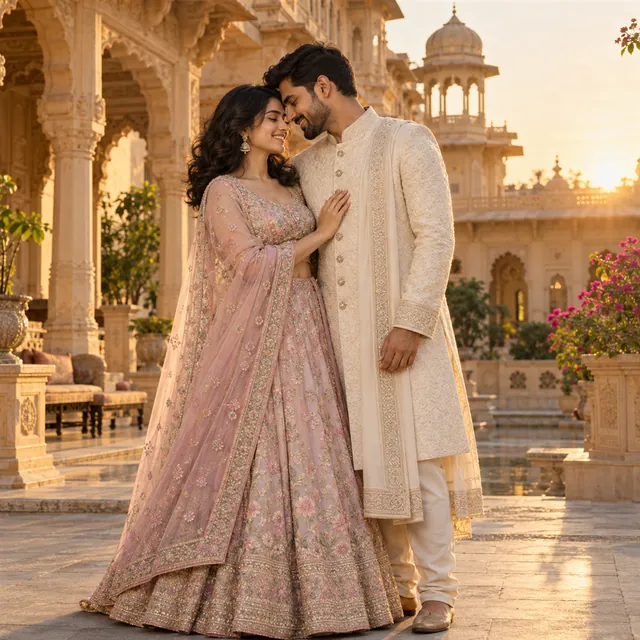
Indian couple in a pastel lehenga and ivory sherwani standing close in a sandstone palace courtyard at golden hour

Pre-wedding portrait

/preweddingWedding & anniversary

A golden-hour pre-wedding shoot in a palace courtyard.

Using the attached photo of the two of us, keep both faces, skin tones, hairstyles and body shapes as in the photo. Create a pre-wedding portrait in an old fort or palace courtyard at golden hour, standing close with our foreheads nearly touching, in coordinated outfits such as a pastel lehenga and an ivory sherwani. Warm, low sun with a soft rim light and sandstone arches softly blurred behind, as if shot with an 85 mm lens at f/2. Portrait 4:5. Avoid text, extra people, extra fingers, heavy skin smoothing and changes to our faces.

Open ChatGPTOpen Gemini
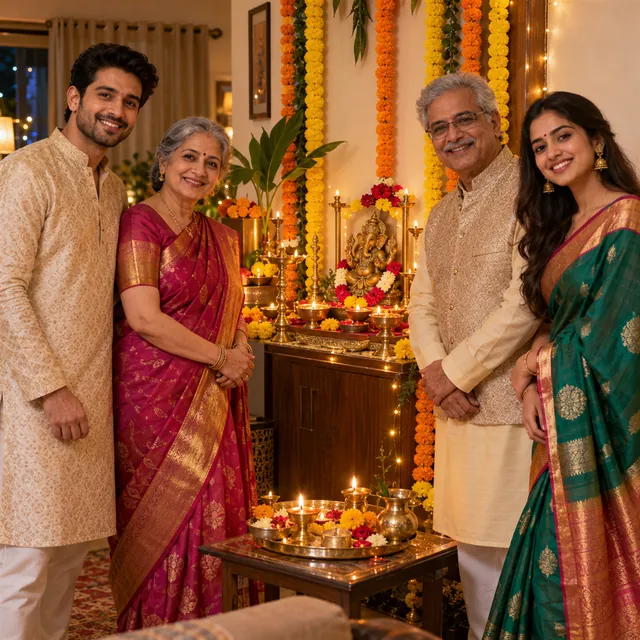
Four adults in festive silk clothes smiling beside a puja corner with diyas and marigold garlands on DiwaliTrending

Diwali family photo

/diwalifamilyDiwali week also /familydiwali, /lakshmipuja

Your grown-up family together at the Lakshmi puja, in festive clothes.

Using the attached photo of my family (all adults), keep every person's face, skin tone, hairstyle, age and height as in the photo, and do not add or remove anyone. Show us together in our living room on Diwali evening, standing around a small decorated puja corner with lit diyas, marigold garlands and a brass thali, everyone in festive Indian clothes in warm reds, golds and creams. Natural smiles, a relaxed family-album pose and soft, warm lamp light. Realistic photo, 4:5. Avoid text, extra or missing people, extra fingers and changes to anyone's face.

Open ChatGPTOpen Gemini
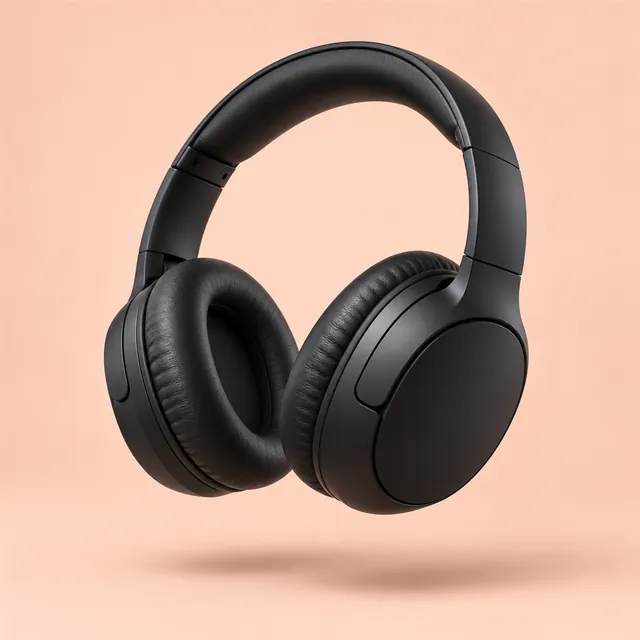
Matte-black wireless headphones floating in mid-air above a pale peach backdrop, with a soft shadow belowTrending

Floating product

/floatingproductProduct & technical also /floating, /levitate

Your product hanging weightless in mid-air with a soft shadow.

Using the attached product photo, show this exact product floating in mid-air, as if weightless. Keep its shape, colour, material and details exactly as in the photo. Tilt it slightly for a sense of movement, with a soft, blurred shadow on the plain surface below. Smooth pastel or light-grey seamless background and soft wraparound studio light with a gentle highlight along the edges. Product centred with clear space all around. Square 1:1. Avoid strings, hands, stands, added text or logos, extra items and distortion.

Open ChatGPTOpen Gemini
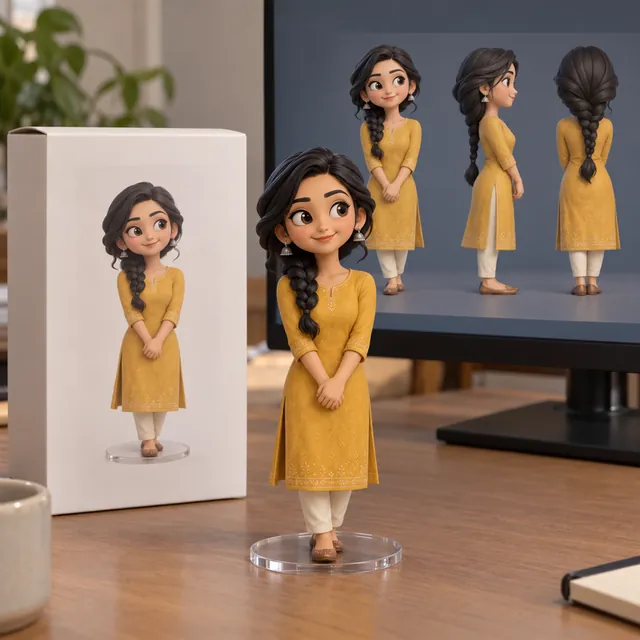
Collectible figurine of a woman in a mustard kurta on a clear base, beside its plain box and a monitor showing the 3D model

3D figurine on a desk

/3dfigurineToy & figurine also /nanofigurine, /deskfigurine

You as a small collectible figure on a desk, with a plain box.

Using the attached photo, turn me into a small collectible figurine standing on a round, clear base on a computer desk. Keep my face, hairstyle, skin tone and outfit recognisable in a smooth, realistic vinyl finish. Beside the figurine, place a plain cardboard box showing the figure's picture but no brand, logo or text, and a computer screen in the background showing the figure's 3D model. Soft indoor daylight, realistic photo. Portrait 4:5. Avoid text, real brand names or logos, extra fingers and a distorted face.

Open ChatGPTOpen Gemini
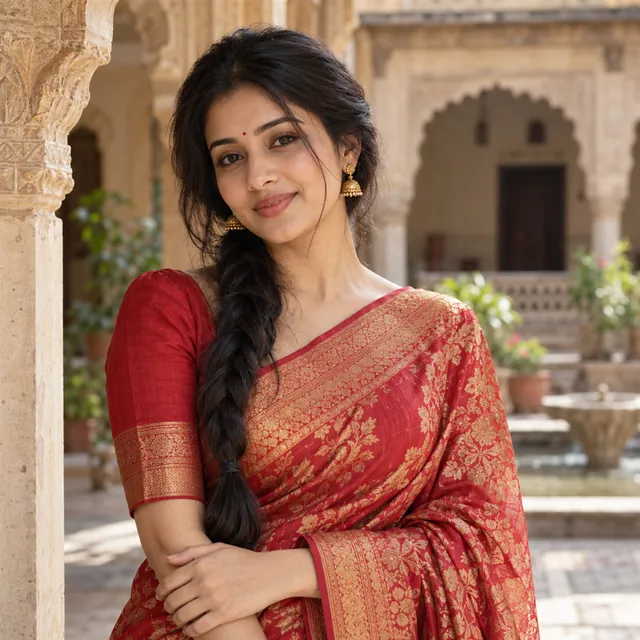
A young Indian woman in a red-and-gold silk saree and gold jhumkas in a haveli courtyard with arches

Saree portrait

/sareeIndian & festive

You in a handwoven red-and-gold silk saree in a haveli courtyard.

Using the attached photo, keep my face, skin tone, hairstyle and body shape as in the photo. Dress me in a handwoven red-and-gold Banarasi-style silk saree with a matching blouse, draped neatly with the pallu over one shoulder, with small gold jhumkas and a simple bindi. Place me in an old haveli courtyard with carved arches, in soft afternoon window light with a shallow depth of field. Graceful, natural standing pose. Realistic portrait, knee-up, 4:5. Avoid text, heavy jewellery on the forehead, revealing styling, extra fingers and changes to my face.

Open ChatGPTOpen Gemini
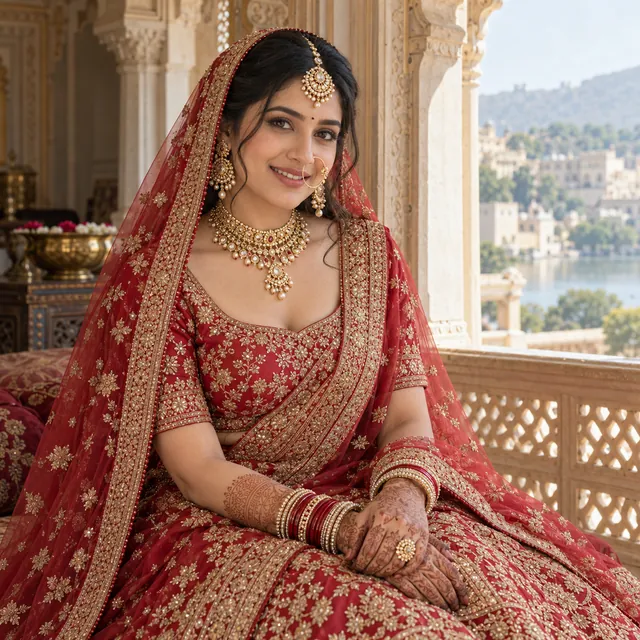
Bride in a red and gold lehenga with a sheer dupatta, maang tikka, nath and mehendi, seated by a palace window

Bridal portrait

/brideportraitWedding season also /bride, /bridal, /dulhan

A red lehenga bridal portrait by a palace window.

Using the attached photo, keep my face, skin tone and features as in the photo, with natural-looking bridal makeup that does not change my face shape. Dress me as an Indian bride in a red and gold embroidered lehenga with a sheer dupatta over my head, a maang tikka, a nath, matching gold jewellery and mehendi on my hands. Seat me by an arched palace window with soft daylight on my face and marigold and rose decorations behind. Graceful, calm expression. Realistic portrait, 4:5. Avoid text, heavy skin smoothing, extra fingers and changes to my face.

Open ChatGPTOpen Gemini
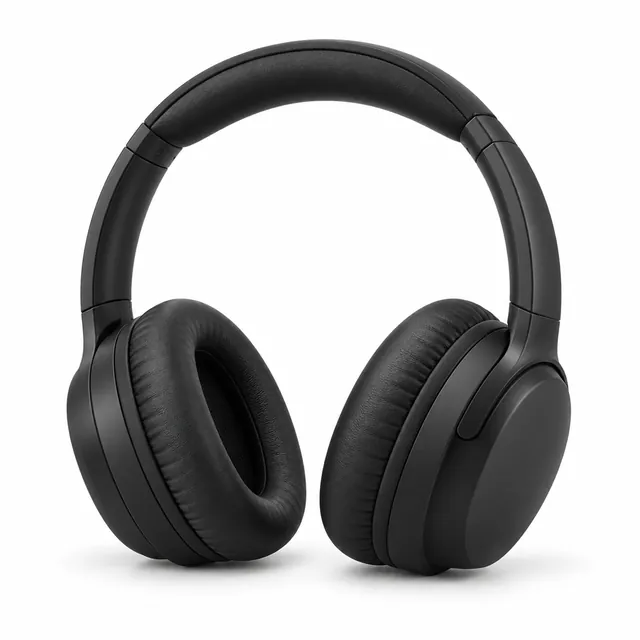
Matte-black wireless headphones on a plain white studio background with a soft shadow underneath

Studio packshot

/packshotProduct & technical also /productshot, /studio-quality

A clean white-background product photo for online listings.

Using the attached product photo, create a professional e-commerce studio packshot of this exact product. Keep its shape, colour, material, buttons and finish exactly as they are; do not redesign it. Place it on a seamless pure white background with a soft, natural contact shadow beneath it. Light it with a large softbox from the front left and a gentle fill from the right, so the edges stay crisp and the surface shows its true texture without harsh glare. Shoot straight on at product height with an 85 mm lens, sharp from front to back, the product centred and filling about 70% of the frame. Square 1:1. Avoid props, added text or logos, extra items and distortion.

Open ChatGPTOpen Gemini
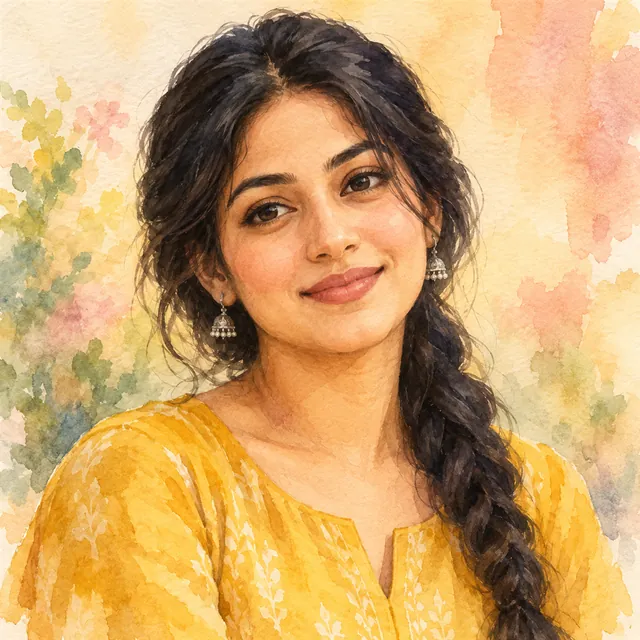
Watercolour painting of a young Indian woman in a mustard kurta, with soft colour washes fading into white paper

Watercolour portrait

/watercolorArt styles

A soft, hand-painted watercolour version of your photo.

Using the attached photo, turn this person into a hand-painted watercolour portrait. Keep their face, features, skin tone, hairstyle, expression and clothing exactly as in the photo so they are clearly recognisable. Use soft, transparent washes with gentle colour bleeds, visible paper grain and a few loose brushstrokes and splashes fading out at the edges. Warm natural light from one side and a light pastel background that melts into white paper. Head-and-shoulders framing with the eyes in the upper third, like a portrait painted on cold-press paper. Portrait 4:5 format. Avoid text, signatures, extra fingers, changes to the face and heavy dark outlines.

Open ChatGPTOpen Gemini
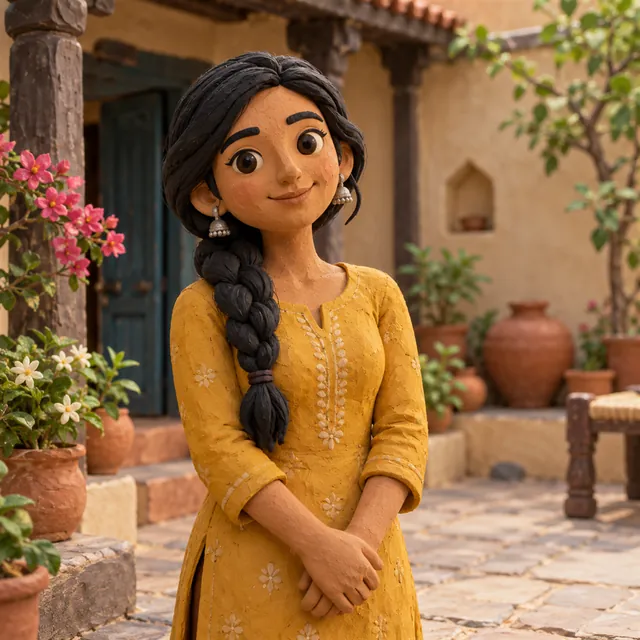
Clay stop-motion figure of a young Indian woman in a mustard kurta standing in a small handmade clay set

Claymation figure

/claymationArt styles also /clay, /clayrender

Turns you into a handmade clay stop-motion character.

Using the attached photo, turn this person into a handmade clay stop-motion figure. Keep their face shape, skin tone, hairstyle, expression, outfit and colours true to the photo so they are recognisable as themselves. Use soft, slightly rounded plasticine shapes with visible fingerprints and tool marks, small bead-like eyes and a matte finish. Place the figure in a miniature handmade set with simple clay props, lit by warm, soft studio lights with a gentle shadow. Knee-up framing, shot with a macro lens and shallow depth of field like a real tabletop animation set. Portrait 4:5. Avoid text, logos, extra fingers, melted or broken shapes and a shiny plastic look.

Open ChatGPTOpen Gemini
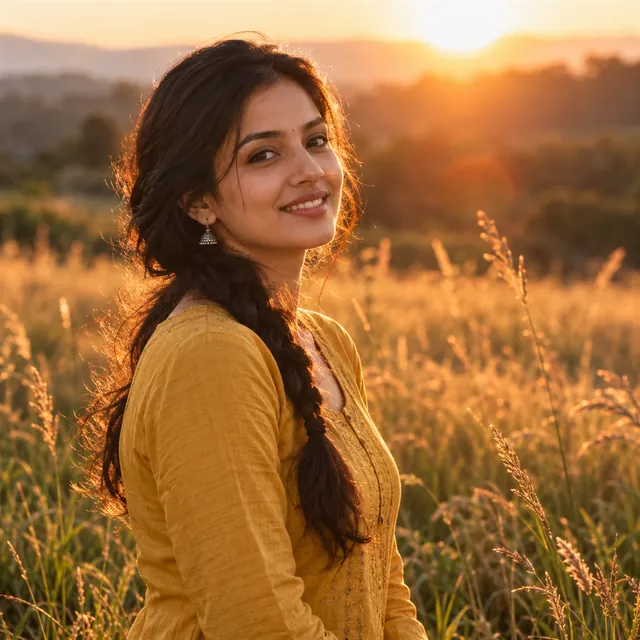
Young Indian woman in a mustard kurta smiling in a grassy field at sunset, with golden backlight on her braided hair

Golden hour

/goldenhourLighting & camera also /golden-hour

Relights your photo with warm, glowing evening sunlight.

Using the attached photo, keep this person exactly as they are, with the same face, features, skin tone, hairstyle, expression and clothing, and relight the scene as golden hour. Put a warm, low evening sun behind them and slightly to one side, giving a soft glowing rim light on the hair and shoulders, a gentle warm tone on the skin and a light lens flare. Replace the background with an open outdoor setting such as a field or park, softly blurred with creamy bokeh. Natural photo look, like an 85 mm lens at f/1.8. Waist-up framing, subject slightly off-centre. Portrait 4:5. Avoid text, over-orange skin, plastic smoothing, extra fingers and changes to the face.

Open ChatGPTOpen Gemini

Short codes are not built-in ChatGPT or Gemini commands. The AI reads a word like /explodedview as a style hint, so pasting the full prompt gives more reliable results.

Your photo goes only to the AI app you choose, never to MuftTools. MuftTools is not affiliated with OpenAI (ChatGPT) or Google (Gemini).

Quick answer

MuftTools.in's AI Photo Prompt Generator writes a detailed photo editing prompt for ChatGPT or Gemini. Choose what is in your photo, a style, lighting, background, outfit and size, keep the face-lock on, then copy the prompt, attach your photo in the AI app and send. The generator only writes text; your photo never comes to MuftTools.

Choices
Subject, style, lighting, background, outfit or occasion, size and a face-lock line
Sizes
Square 1:1, post 4:5 and story 9:16
Works with
ChatGPT, Gemini and other AI apps that edit an attached photo
Output
An editable prompt in plain English, with copy and open buttons
Your photo
Never comes to MuftTools; it goes only to the AI app you choose
Price
Free, no sign-up

What this prompt generator does

ChatGPT and Gemini can both take a photo you attach and remake it: a new background, a festive outfit, softer light or a whole new art style. What you get back depends on what you type. A short request like "make it look nice" leaves the AI to guess, and it usually guesses differently from what you had in mind.

This generator writes the detailed request for you. You pick what is in your photo, a style, the light, the background, an outfit or occasion and a size, and it turns your choices into a full prompt in plain English. The prompt appears in a box where you can still change any word. Then you copy it, open ChatGPT or Gemini, attach your photo and send.

The generator only writes text. It does not see, edit or store your photo. All the photo editing happens inside the AI app you choose.

How to use it

  1. Say what is in the photo. Choose Me, Couple, Product, Pet or Place. This changes how the prompt describes the subject, and what it asks the AI to keep the same.
  2. Pick a style. Leave it on Realistic photo for a natural edit, or choose a look such as watercolour, clay, golden hour or a studio packshot.
  3. Set the light and background. Keep them as they are, or choose options such as warm festive light from diyas or a plain white studio background.
  4. Add an outfit or occasion (optional). Type something like "silk saree", "sherwani" or "Diwali evening".
  5. Choose a size. Square 1:1 suits WhatsApp chats and product grids, 4:5 suits feed posts and 9:16 suits a status or story.
  6. Keep the face-lock on for photos of people. It adds a line asking the AI to keep the face unchanged.
  7. Copy, attach and send. Use Copy prompt, then open ChatGPT or Gemini, attach your photo and paste.

What makes a photo prompt work

Google's own tips for image generation and editing in the Gemini app suggest building a prompt from the subject, composition, action, location and style, and being direct and specific when you edit an existing image. The prompts on this page follow the same idea, with a few extra parts that help with your own photos:

  • What to keep: the face, skin tone and hairstyle, or the product's shape and colour. Saying this first tells the AI what it should not touch.
  • What to change: one clear idea, such as the outfit and the setting, rather than five at once.
  • Light and camera: words like "soft window light" or "85 mm lens, shallow depth of field" give a more photographic look.
  • Size: a shape such as 4:5, so the picture fits where you plan to post it.
  • What to avoid: added text, extra fingers and warped shapes are common AI mistakes, so the prompts name them.

When the result is not right: follow-up prompts

AI image tools redraw the whole picture, so they try to keep your face but cannot promise it, and small details can drift. Instead of starting over, reply in the same chat with one fix at a time:

  • The face changed: "Keep my face exactly as in the attached photo. Change only the background."
  • Skin looks lighter, darker or too smooth: "Keep my natural skin tone and skin texture from the photo."
  • Extra fingers or odd hands: "Fix the hands so each has five natural fingers. Do not change anything else."
  • Unwanted words appeared: "Remove all text and letters from the image."
  • It looks plastic or over-edited: "Make it look like a natural photo, with less smoothing and softer colours."

If a chat keeps drifting, start a new one and attach the original photo again. A clear, well-lit photo with the face fully visible gives the steadiest results.

Your photo and your privacy

Your photo never comes to MuftTools.in. When you attach it in ChatGPT or Gemini, it goes to that company and is handled under its own terms and settings. Google's Gemini Apps Privacy Hub and OpenAI's help article on how your data is used explain what is saved and how to change it. Only use photos of other people with their permission, keep ID cards and documents out of AI chats, and never use an AI image to pass off something fake as real. Per Gemini Apps Help, editing images in Gemini is not available to users under 18.

More ready prompts

  • AI image codes: short style codes such as /packshot, /claymation and /goldenhour, each with the full prompt behind it, a sample image and an honest note on what the codes really are.
  • Couple photo prompts: festival, pre-wedding, anniversary and everyday prompts for two people, including how to join two separate photos.
  • Saree and festival prompts: Diwali week, Chhath, wedding functions and traditional looks, with the festival dates.
  • Viral AI photo trends: safe versions of the trends people search for, such as the 1980s photo, the vintage saree and the 3D figurine.

MuftTools.in is not affiliated with OpenAI or Google.
Frequently asked questions

Does this tool edit my photo?

No. It only writes the prompt text. You attach your photo inside ChatGPT, Gemini or another AI app, and that app does the editing. MuftTools never sees or stores your photo.

Will the AI keep my face exactly the same?

It tries, but no prompt can promise it. AI tools redraw the whole image, so small changes are common. Keep the face-lock on, use a clear, well-lit photo, and if the face drifts, reply with 'keep my face exactly as in the attached photo' or start a new chat.

Which is better for photo editing, ChatGPT or Gemini?

Both can edit an attached photo, and the same prompt works in either. Each draws in its own way, so try the prompt in both if you have them and keep the result you like. Features and limits differ by plan and change often, so check each app's own help pages.

What size should I choose?

Square 1:1 suits WhatsApp chats, profile pictures and product grids, 4:5 suits feed posts, and 9:16 suits a WhatsApp status or a story. AI apps do not always follow the size exactly, so you may need to crop the result.

Can I edit the prompt before I copy it?

Yes. The prompt box is editable. Add details such as a colour, a place or a pose, but keep the line about what to keep unchanged, because it does most of the work.

Can I use it for a photo of someone else?

Only with their clear permission. The photo goes to the AI company, and an edited image of a real person can be misused. Do not upload photos of children, and never use AI images to make a fake photo look real.

Suggest an improvement

Tell us what would make MuftTools more useful: a new tool, a missing option or something that didn't work. We read every message.

What is it about?

Please don't include personal details such as Aadhaar, bank or phone numbers.