Address Label Maker (A4 Sticker Sheets and Courier Slips)
Paste a list of addresses, pick the sticker sheet you bought, and print every label lined up, with the name in bold and the PIN code easy to spot. Courier slips with From, To and COD are one tap away.
- 100% free
- No sign-up
- Runs in your browser
- Updated October 2026
1Addresses
Leave a blank line between addresses. You can also paste rows straight from Excel or Google Sheets (with a heading row like Name, Address, City, State, PIN, Phone). Hindi works too.
2Sticker sheet
Check the size printed on your sticker sheet packet, or measure one label and the gaps with a ruler.
2Courier slip
Excel columns named Order, COD (or Amount), Weight and Contents fill these per slip. A courier's own airway bill or booking label is still needed if they ask for one.
3Printing
Print one sheet on plain paper first, hold it over a label sheet against light, and nudge if the text is off. Print at 100% / Actual size.
Addresses stay in your browser; nothing is uploaded. The PDF is A4 at actual size, so labels line up when printed at 100%.
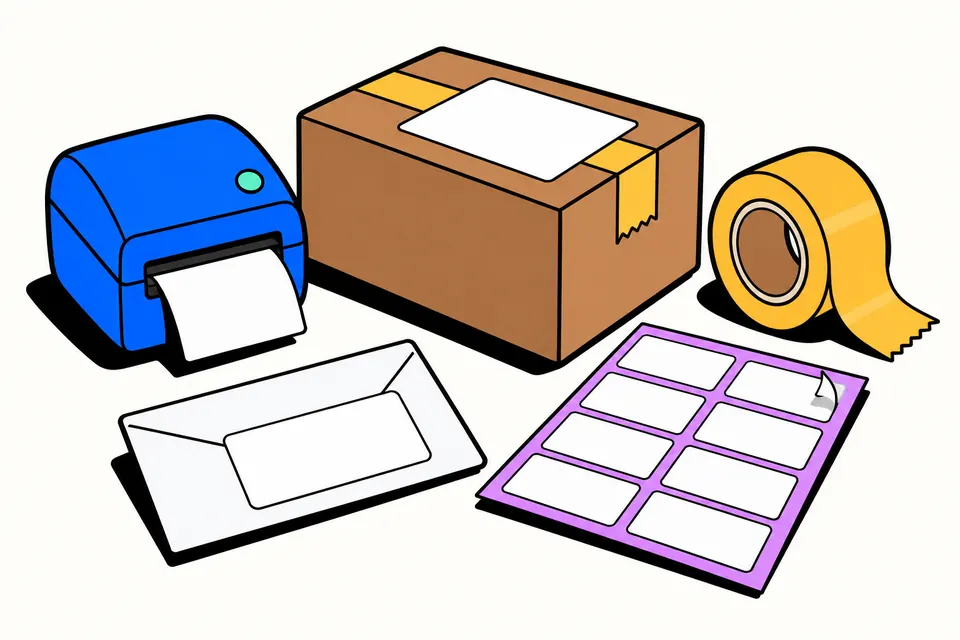
Print a whole sheet of address labels in one go
Writing fifty envelopes by hand for wedding cards, Diwali greetings, school circulars or customer mailers takes an evening and still leaves a few illegible PIN codes. Word mail merge can do it, but only if you know which label template matches the sheet you bought. This tool is simpler: paste your addresses, choose the sticker sheet by how many labels it has, and download a PDF where every address sits inside its label.
It's built for Indian addresses and Indian users: the name prints in bold, the six-digit PIN code stands out, Hindi addresses print properly, and A4 sheets are the default. Small sellers can switch to courier slips with From and To blocks, a big PIN code box, a COD or prepaid badge and a barcode of the order number. Nothing is uploaded; your address list stays in your browser.
How to print address labels
- Paste your addresses. Put a blank line between two addresses, or paste rows from Excel or Google Sheets with a heading row (Name, Address, City, State, PIN, Phone).
- Choose your sticker sheet: the count and size are printed on the packet, for example "21 labels, 63.5 × 38.1 mm". If yours is not listed, choose Custom and type the label size and margins.
- If some labels on the sheet are already used, enter the number under Skip used labels.
- Need the same address many times, such as return-address stickers? Set Copies of each.
- Optional: add "To," above each address, a sender line at the bottom, or outlines for cutting from plain paper.
- Print one sheet on plain paper first at 100% / Actual size, check it against the sticker sheet, nudge if needed, then print on the labels.
Common A4 label sheet sizes
| Labels per sheet | Label size | Good for |
|---|---|---|
| 65 (5 × 13) | 38.1 × 21.2 mm | Small return-address stickers, file labels |
| 40 (4 × 10) | 45.7 × 25.4 mm | Short addresses, name stickers |
| 24 (3 × 8) | 64 × 34 mm | Envelopes, greeting cards |
| 21 (3 × 7) | 63.5 × 38.1 mm | Envelopes, invitations (the most common) |
| 16 (2 × 8) | 99.1 × 33.9 mm | Long single-line addresses |
| 14 (2 × 7) | 99.1 × 38.1 mm | Full addresses on large envelopes |
| 12 (3 × 4) | 63.5 × 72 mm | Boxes and jars |
| 8 (2 × 4) | 99.1 × 67.7 mm | Parcels and courier packets |
These are common A4 label layouts, but brands differ slightly. If the packet gives other numbers, use Custom and copy them in: label width and height, the top and left margins, and the gaps between labels.
Writing an Indian address on a label
A clear address goes from the person to the place, one idea per line:
- Line 1: the person's or firm's name (printed bold).
- Line 2: house, flat or shop number and building name.
- Line 3: street, area or locality, with a landmark if the area is hard to find.
- Line 4: city or district, state and the six-digit PIN code.
- Line 5 (parcels): a mobile number, so the delivery person can call.
The PIN code is what post offices and couriers sort by, so a wrong PIN sends a letter to the wrong town even when the rest is right. If you are not sure of one, look it up on India Post's website before printing. The tool finds the PIN in each address and prints it in bold.
Pasting addresses the right way
The tool understands three ways of pasting, so you rarely need to retype anything:
- Blocks: each address on several lines, with an empty line between two addresses. This is how most people keep addresses in a phone note or a Word file.
- Spreadsheet rows: copied straight from Excel or Google Sheets. With a heading row, columns named Name, Address, City, State, PIN and Phone are arranged in the right order; without one, each cell becomes a line.
- One address per line: such as "Ravi Kumar, 12 MG Road, Pune 411005". The tool splits it at the commas into neat lines.
The count under the box tells you how many addresses were read and how many sheets they fill, so you can spot a missing blank line before printing.
Courier slips for small sellers
If you sell from home on Instagram, WhatsApp or your own website, switch to Courier slips. Each slip has the customer's address with the PIN code in a box, your own address under "From", and an optional COD badge with the amount to collect, or a "Prepaid" badge. Paste your orders from Excel with columns for Order, COD, Weight and Contents and each slip picks up its own values; an Order column also prints as a Code 128 barcode. Choose 2 slips per A4 for big parcels or 4 for smaller packets, then cut along the dashed lines and tape the slip on. If your courier gives you its own airway bill, that still goes on the parcel too.
Tips for neat labels
- Load sticker sheets one at a time in the manual feed tray. Most printers print labels best on the "labels" or "heavy paper" setting.
- Laser and inkjet label sheets are different. Buy the type that matches your printer.
- Keep the font large: the tool shrinks text only as much as each label needs, but very long addresses on small labels become hard to read.
- Check a few addresses on the preview, especially pasted Excel rows, before printing fifty sheets.
- For envelopes, put the sender line on the label or use a separate sheet of return-address stickers made with "Copies of each".
Label shortcuts
Frequently asked questions
How do I print address labels from Excel?
Select the rows in Excel or Google Sheets (with the heading row: Name, Address, City, State, PIN, Phone) and paste them into the address box. The tool reads the columns, puts the city, state and PIN on one line and fills the sheet in order.
Which label sheet size should I buy?
For envelopes and wedding cards, 14 or 16 labels per A4 sheet (99.1 mm wide) give room for a full Indian address. For small return-address stickers, 21 or 24 per sheet work well, and 65 per sheet is for tiny labels. For parcels, use 8 per sheet or the courier slip option.
My labels print slightly off. How do I fix it?
Print one page on plain paper at 100% / Actual size, hold it over the sticker sheet against light, and enter the difference in millimetres under 'Move right' and 'Move down' (negative numbers move left or up). If your sheet is a different size, choose Custom and type the measurements.
Can I use a half-used sticker sheet?
Yes. Enter how many labels are already used under 'Skip used labels' and printing starts on the next free label, counting across and then down.
What is the correct address format in India?
Name on the first line, then house or flat number and building, street or locality, then city or district with the state and the six-digit PIN code, and a phone number if it is a parcel. The PIN code matters most for sorting, so it is printed in bold.
Can I print Hindi addresses?
Yes. Type or paste the address in Hindi and it is printed with a proper Devanagari font in the preview, the PDF and the print, including matras and half letters.
Is this a replacement for a courier company's label?
The courier slip is for your own From and To details, COD amount and order number. Courier and logistics companies that issue their own airway bill or booking label still need theirs on the parcel.