Passport Size Photo Maker
Crop your photo to 35 × 45 mm, 2 × 2 inch or any size, then download a ready-to-print sheet of copies on 4 × 6 inch or A4 paper. Free, and your photo never leaves your phone.
- 100% free
- No sign-up
- Runs in your browser
- Updated October 2026
1Choose the photo size
2Upload your photo
Best results: face a plain white wall in daylight, phone at eye level, about 1.5 m away.
3Crop and adjust
Drag the photo to move it. Pinch or use Zoom so the top of the head touches the top line and the chin sits between the two lower lines.
Turns a light grey or cream wall whiter. It only touches pale, low-colour areas, so keep it low if your face starts to look washed out.
Replace the background (optional)
New background colourWorks best with one person facing the camera. The first time, it downloads a small person-detection model (about 1.2 MB) to your browser; your photo stays on your device. Check the edges around hair and shoulders before printing. If a portal asks for a photo not edited by software, use a real plain white wall instead.
4Print sheet
Print the PDF at Actual size / 100%, not "Fit to page", so each photo comes out at the exact size.
5Single photo and online forms
Upload a photo to start.
For an online form
Nothing is uploaded. Rules can change, so always check the latest instructions of the office or portal you are applying to.
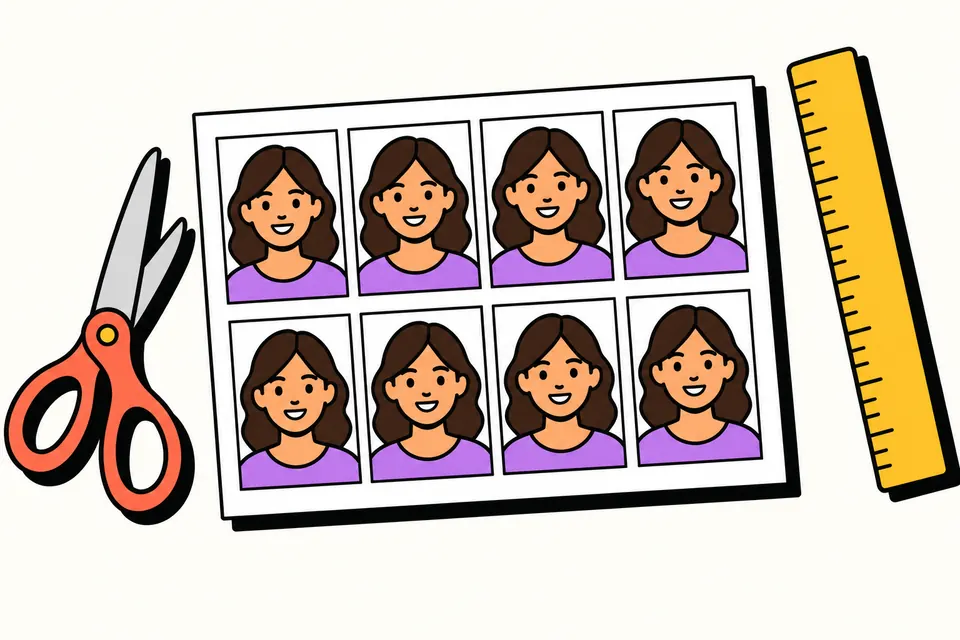
A passport photo you can crop and print yourself
Many forms in India still ask for a "passport size photo": admissions, bank accounts, visas, exam hall tickets. This tool lets you take the photo on your phone, crop it to the exact size, and get a sheet of copies that any photo shop or home printer can print.
Everything happens in your browser. Your photo is not uploaded anywhere, there is no sign-up, and there is no watermark on the result.
How to make a passport size photo
- Take the photo. Stand in front of a plain white or light wall, in daylight from a window, with no shadow behind you. Ask someone to hold the phone at your eye level about 1.5 metres away. Look straight at the camera with a natural expression and your mouth closed.
- Choose the size. Pick the preset for your document, such as Indian passport 35 × 45 mm, Indian visa or US visa 2 × 2 inch, Schengen visa or a PAN form, or enter a custom size in millimetres.
- Upload and crop. Drag the photo to move it and use Zoom (or pinch on a phone). The face guide shows where the top of your head and your chin should be for the chosen size. Use Straighten if the photo is slightly tilted.
- Adjust if needed. Brightness and Contrast fix a dull photo. "Brighten near-white background" turns a pale grey or cream wall whiter without touching your face.
- Replace the background if you need to (optional). Tap Remove background and pick white or another light colour. A small person-detection model downloads to your browser the first time and runs on your device, so your photo is not uploaded. Check the edges around your hair before printing.
- Download. Get a print sheet as a PDF or JPG (4 × 6 inch photo paper or A4), a single photo JPG at 300 DPI, or a file for an online form at the exact pixel size and KB range.
Official photo sizes in this tool
These figures come from the official pages linked below, checked in October 2026. Rules can change, so always follow the latest instructions of the office or portal you are applying to.
| Document | Printed size | What the official source says |
|---|---|---|
| Indian passport | 35 × 45 mm | Colour, 45 mm × 35 mm, white background, face 80–85% of the photo (Passport Seva) |
| Indian passport, applied for abroad | 630 × 810 px upload | Colour, white background, face 80–85% of the photo, unaltered by software (Indian mission guideline) |
| Indian visa | Square, 2 × 2 inch here | Height equal to width, head 25–35 mm, light or white background, JPEG 10–300 KB (Indian visa portal) |
| US visa | 2 × 2 inch (51 × 51 mm) | Head 1 to 1⅜ inch (25–35 mm), no glasses, digital 600 × 600 to 1200 × 1200 px (US State Department) |
| UK printed photo | 35 × 45 mm | Head 29–34 mm from crown to chin, plain light background (GOV.UK) |
| Schengen visa | 35 × 45 mm | The EU asks for a photo that meets ICAO standards (European Commission); check the consulate's checklist |
35 × 45 mm or 2 × 2 inch?
This is the most common mix-up. The Passport Seva guideline for the Indian passport uses 45 mm × 35 mm, a tall rectangle. The square 2 × 2 inch (51 × 51 mm) photo belongs to the Indian visa, which asks for height equal to width, and to the US visa. If a form simply says "passport size" without a measurement, measure the photo box on the form. Most Indian forms use about 35 × 45 mm.
When you apply for an Indian passport at a Passport Seva Kendra in India, your photo is usually captured at the counter, so you do not need prints for yourself. The printed 45 × 35 mm photo is what that Passport Seva guideline covers for children below 4 years. Indians applying from abroad through an Indian mission upload a 630 × 810 pixel photo instead.
Photo rules most offices share
The official guidelines above repeat many of the same points. Following them avoids most rejections:
- A recent colour photo, looking straight at the camera, with eyes open and clearly visible.
- The full head from the top of the hair to the bottom of the chin, centred in the frame and not tilted.
- A white or plain light background, with even light and no shadows on the face or the wall.
- A natural expression with the mouth closed, no hair across the eyes and no red-eye.
- Head coverings only for religious reasons, with the face from chin to forehead and both edges of the face visible (Passport Seva and Indian mission guidelines).
- Glasses: the US does not allow them in visa photos, and the Indian mission guideline asks you to take them off to avoid reflections. Taking them off is the safe choice.
The Indian mission guideline also says photos should be unaltered by computer software. For that upload, crop and resize only, and leave the brightness, contrast and background sliders at their defaults.
Printing your sheet
The print sheet places as many copies as fit, with a small gap and thin grey cut lines. One 4 × 6 inch (10 × 15 cm) print holds eight 35 × 45 mm photos, and an A4 page holds 30.
- At a photo shop: take the PDF or the sheet JPG on your phone and ask for a 4 × 6 inch print without cropping or "fit".
- At home: open the PDF and print at Actual size or 100%. "Fit to page" shrinks the photos and they will no longer be 35 × 45 mm.
- Check before cutting: measure one photo with a ruler. Then cut along the grey lines with a paper cutter or sharp scissors.
The single photo JPG is saved at 300 DPI, so a 35 × 45 mm photo is 413 × 531 pixels and prints at the right size in most photo apps.
Common mistakes to avoid
- Selfie distance. A phone held at arm's length makes the nose look bigger and the face slightly distorted. Ask someone else to take it from about 1.5 metres and zoom in here instead.
- Coloured or busy backgrounds. A blue door or a patterned curtain cannot be turned white by a slider. Use Remove background, or better, move to a plain light wall: some guidelines, like the Indian mission one, ask for photos that are not altered by software.
- Head too small or too big. Use the face guide: the top of the hair should touch the top line and the chin should sit inside the shaded band.
- Wrong file size online. Portals often set a KB range. Type it into the online form section, and the tool adjusts the quality so the file lands inside the range.
Need a photo and signature for an exam form instead? Use the exam photo and signature resizer, which has presets taken from official exam notices. To make a clean signature image, try the online signature maker.
This tool is not affiliated with Passport Seva, the Ministry of External Affairs or any embassy. It only helps you prepare a photo; the office you apply to decides whether it accepts it.
Frequently asked questions
What is the passport size photo size in India?
Passport Seva's photo guideline gives 45 mm × 35 mm (4.5 × 3.5 cm), in colour, on a white background, with the face taking up 80–85% of the photo. In a Passport Seva Kendra your photo is usually taken at the counter, so the printed size mainly matters for small children and other forms that ask for a passport size photo.
How do I make a passport size photo on my mobile?
Ask someone to take a photo of you in daylight against a plain light wall, at eye level. Open this page on the phone, choose the size, upload the photo, then drag and zoom until your head fits the guide lines. Tap Remove background if the wall is not plain, and download the print sheet PDF or JPG for a photo shop.
Is the Indian passport photo 2 × 2 inch or 35 × 45 mm?
The Passport Seva guideline gives 45 mm × 35 mm. The square 2 × 2 inch (51 × 51 mm) size is used for the Indian visa, which asks for a photo with equal height and width, and for the US visa. Choose the preset for the document you are actually applying for.
How many passport photos fit on a 4 × 6 inch print?
Eight 35 × 45 mm photos fit on one 4 × 6 inch (10 × 15 cm) print with a 2 mm gap. On A4 paper you get 30. Square 2 × 2 inch photos are bigger, so fewer fit; the tool shows the exact count for each size, paper and gap.
How do I print the sheet at the right size?
Download the PDF and print it at Actual size or 100%, not Fit to page. For 4 × 6 inch, take the PDF or the sheet JPG to a photo studio or print shop and ask for a 4 × 6 print without cropping. Measure one photo with a ruler before you cut the rest.
Can I make a white background for my passport photo?
Yes. After cropping, tap Remove background. The tool finds you in the photo and replaces everything behind you with white, off-white, light blue or a colour you pick. It runs on your phone with a small model that downloads the first time, so the photo is not uploaded. Check the edges around your hair, and for portals that ask for photos not edited by software, use a real white wall.
What size should a passport photo be for an online form?
Indian missions abroad ask for a 630 × 810 pixel photo, and the Indian visa portal asks for a square JPEG of 10 to 300 KB. For any other form, type the pixel size and KB range from its instructions in the online form section, and the tool resizes and compresses the photo to fit.
Is my photo uploaded to your server?
No. The cropping, the print sheet, the PDF and the online-form file are all made inside your browser on your own device. Nothing is sent to us, and the photo is gone when you close the page, so download your files before you leave.
Can I wear glasses in a passport photo?
It depends on the document. The US visa rules do not allow glasses at all. The guideline used by Indian missions asks you to take glasses off to avoid reflections. When in doubt, take the photo without glasses.