Blue Background Photo
Put a light blue or deeper blue background behind your photo for ID cards, company badges and profile pictures. Pick any shade; the photo never leaves your phone.
- 100% free
- No sign-up
- Runs in your browser
- Updated October 2026
1Upload a photo of a person
This works on photos of people: one person, head and shoulders or half body, facing the camera. It is not made for products, pets or objects.
2New background
BackgroundIf a thin line of the old wall shows around your hair or shoulders, move it right. If hair looks cut, move it left.
3Output
Same size as your photo, up to 3000 px on the long side.
Drag the preview to move the photo, and pinch or scroll to zoom.
4Preview and download
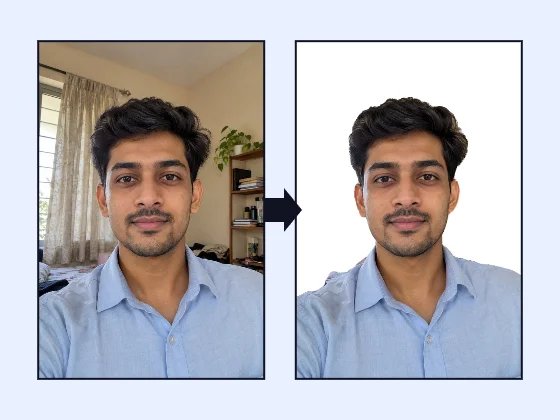
Nothing is uploaded. The person-detection model (about 1.2 MB) downloads to your browser the first time and runs on your device. Some portals, such as passport offices, ask for a photo that has not been edited by software: for those, take a fresh photo against a real plain white wall.
Where a blue background is used
Blue is a common background for photo identity cards: college and school ID cards, company badges, visitor passes, gym and club cards, and staff profile pages. A light sky blue looks calm and keeps every complexion clear, and a deeper blue makes the photo stand out on a white card. Studios often keep a blue backdrop for exactly this reason. This page gives you the same look from a photo taken at home.
The tool opens with Light blue selected. Upload your photo, and the wall behind you is replaced with blue while you stay untouched. Tap Blue for a deeper shade, or Any colour to pick the exact colour you were given.
Matching the exact shade
If your organisation's ID card design uses a specific blue, ask for the colour code (for example #2F6FB5) or hold a printed card next to the screen and pick the closest shade. "Any colour" opens your device's colour picker; on most phones and computers you can type a hex code there. The colour updates instantly, so you can try several shades without waiting.
| Shade in the tool | Colour code | Often used for |
|---|---|---|
| Light blue | #D6E6F5 | School and college ID cards, office badges |
| Blue | #2F6FB5 | Company ID cards, profile pictures |
| Any colour | Your choice | Matching a printed card design |
Blue is not for every form
Most government exam notices in India ask for a white or light background, and UPSC's instructions say plain white. A blue background on those forms risks a rejection, so use the white background page for exam photos and keep blue for cards and profiles that ask for it.
Tips for a natural blue background
- Avoid a blue shirt on a blue background. A shirt close to the background colour makes the edge hard to see on a printed card. Pick a contrasting top, or a lighter or darker blue.
- Check the hair. Blue makes any leftover of a cream wall look green or grey. Move the Edge slider to the right if you see a halo.
- Crop for the card. Use Exam / form size with a custom size, for example 3.5 × 4.5 cm at 300 DPI, so the face fills the frame the way the card printer expects.
Profile pictures
A blue background also suits office directories, LinkedIn and messaging apps, where a plain, calm colour looks neater than a bedroom wall. For these, save the photo full size as a JPG. If you only want to hide a messy room without a studio look, try Blur instead of blue.
Printing the photo
Save the blue-background photo full size and open it in the passport size photo maker to print a sheet of copies on 4 × 6 inch photo paper or A4. You can also turn it into a transparent PNG first and place it on your own card design.
Other background colours
Need more options? Open the full Photo Background Changer (White & Blue).
Frequently asked questions
How do I change my photo background to blue?
Upload your photo here; Light blue is already selected. Tap Blue for a deeper shade, or Any colour to match the exact blue your ID card printer or company asks for. Then download the photo full size or at an exact pixel and KB size.
Which blue should I use for an ID card?
Ask the office or printer for the shade they use. Many ID cards and office badges use a light sky blue, and some use a mid or royal blue. Use the colour picker to match a code like #2F6FB5 if they give you one.
Can I use a blue background for exam forms?
Only if the notice allows it. Most exam notices in India ask for a white or light background, and some, like UPSC, say plain white. Read your notice before choosing blue.
Does the blue tint my hair or face?
The tool removes the colour of the old wall from the edges and puts the new blue only where the background was. Hair edges pick up a little of the new colour, the way they would in a studio, but your face is not tinted.
Is the photo uploaded anywhere?
No. The background is changed by a model that runs inside your browser, so the photo stays on your device.